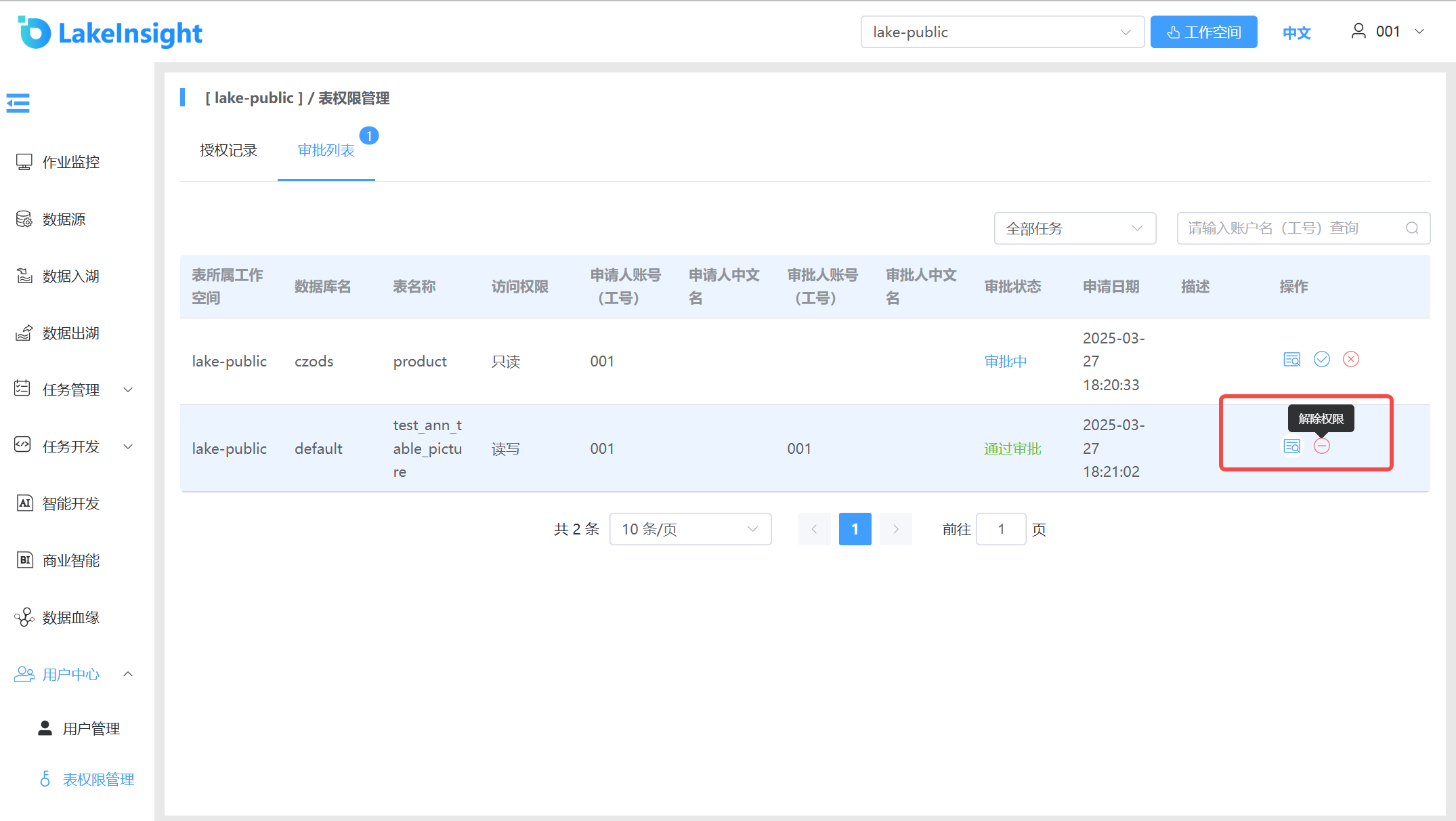
Table Permission Management
Users can apply for permissions (read-only or read-write) on tables in other workspaces.
On the Table Permission Management page, there are two tabs: Authorization Records and Approval List. Data Lake Administrators and Super Administrators can see the Approval List; other users can only see the Authorization Records page.
Authorization Records Page:
Current user's authorization application records:
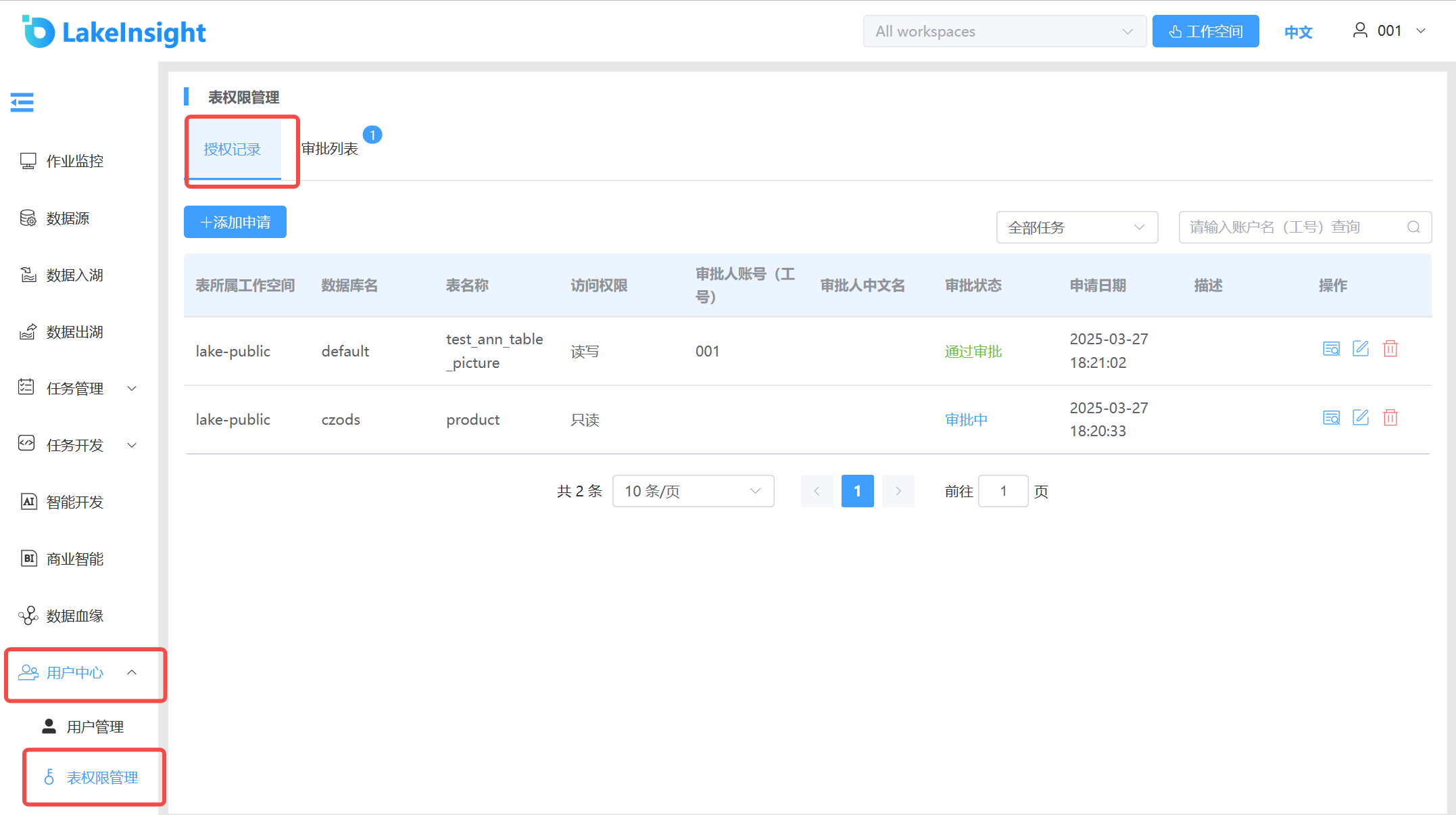
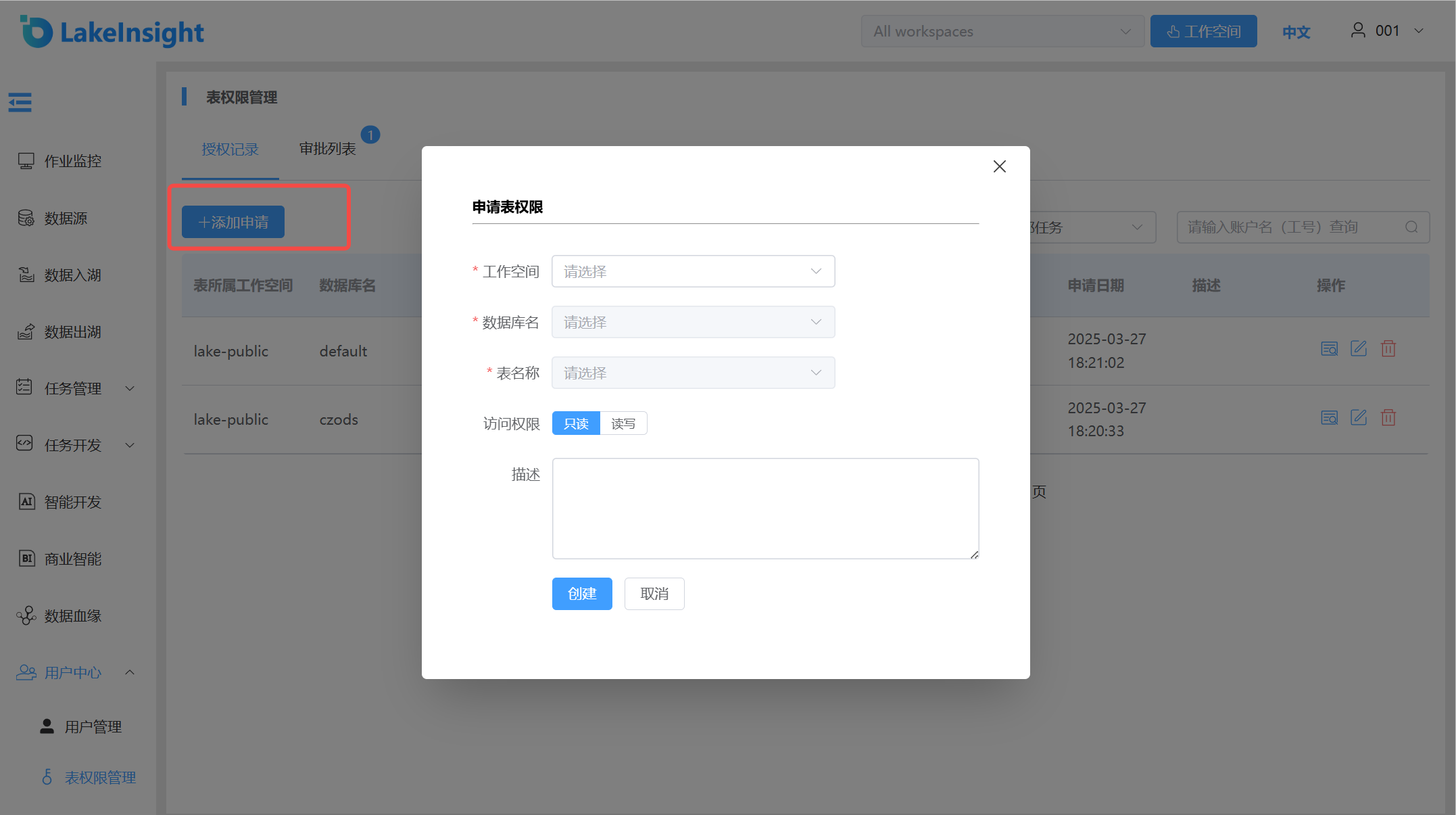
- Enter the Authorization Records page. Click the Add Application button to create a new table permission application. Select the workspace where the target table resides, the database name, and the table name, then choose read-only or read-write permission for the table. Click Create or Cancel to complete or cancel the application.
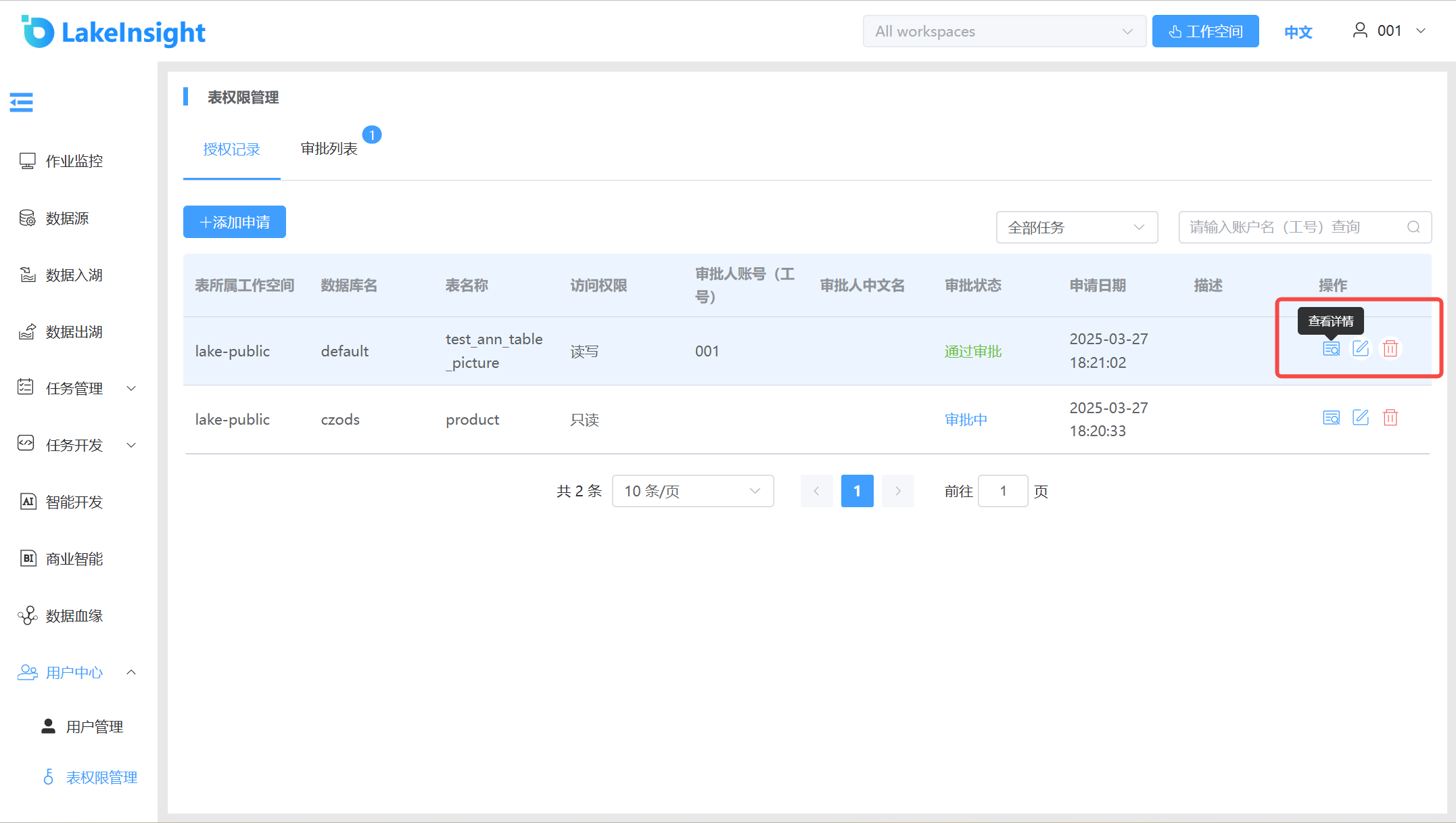
- Edit, withdraw, or view details.
- Approval List Page
Application records for tables under the current workspace. You can switch workspaces to view application records from different workspaces.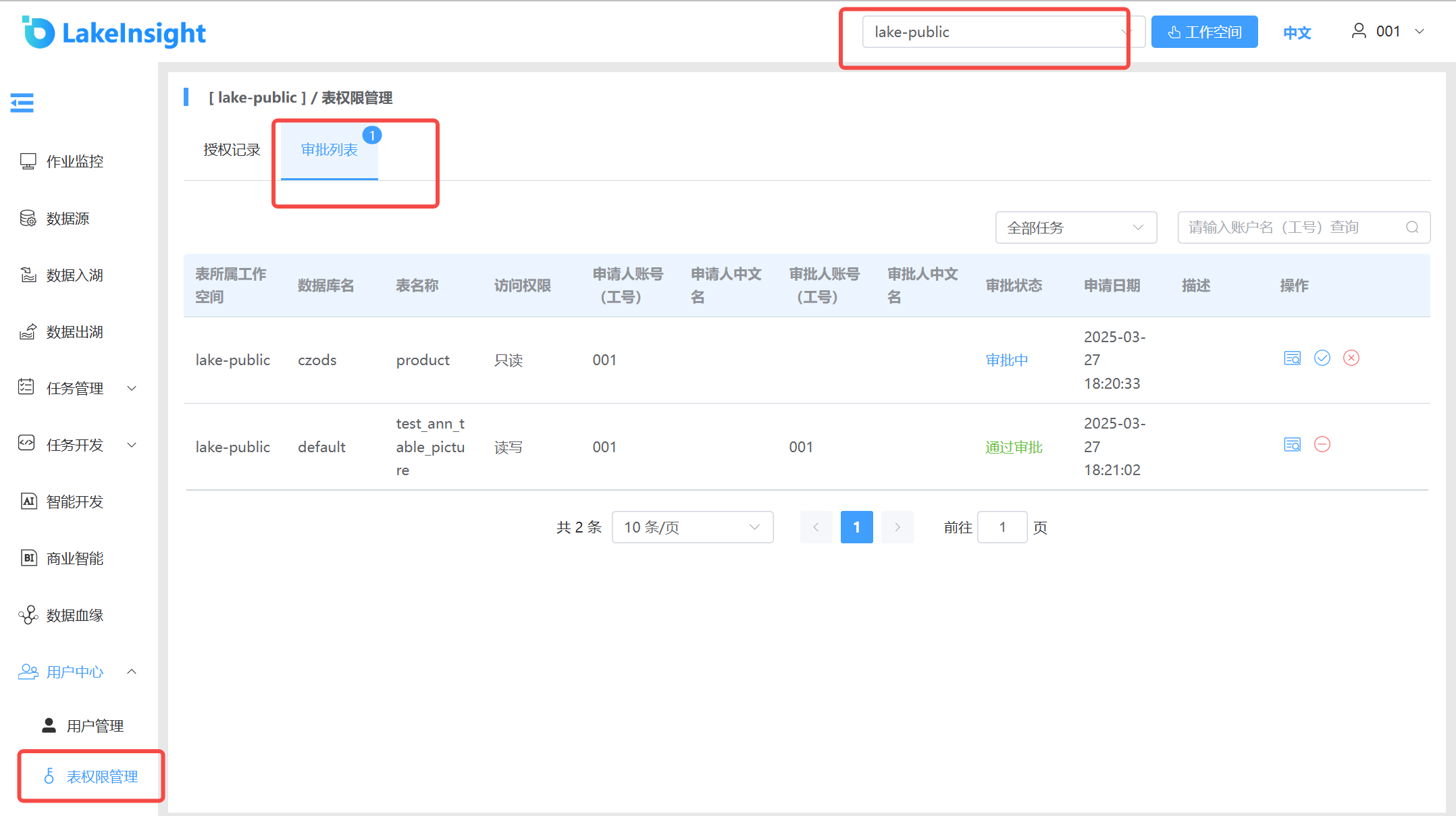
Administrators (Super Administrators and Data Lake Administrators) can approve or reject applications. The processing results are synced back to the Authorization Records page.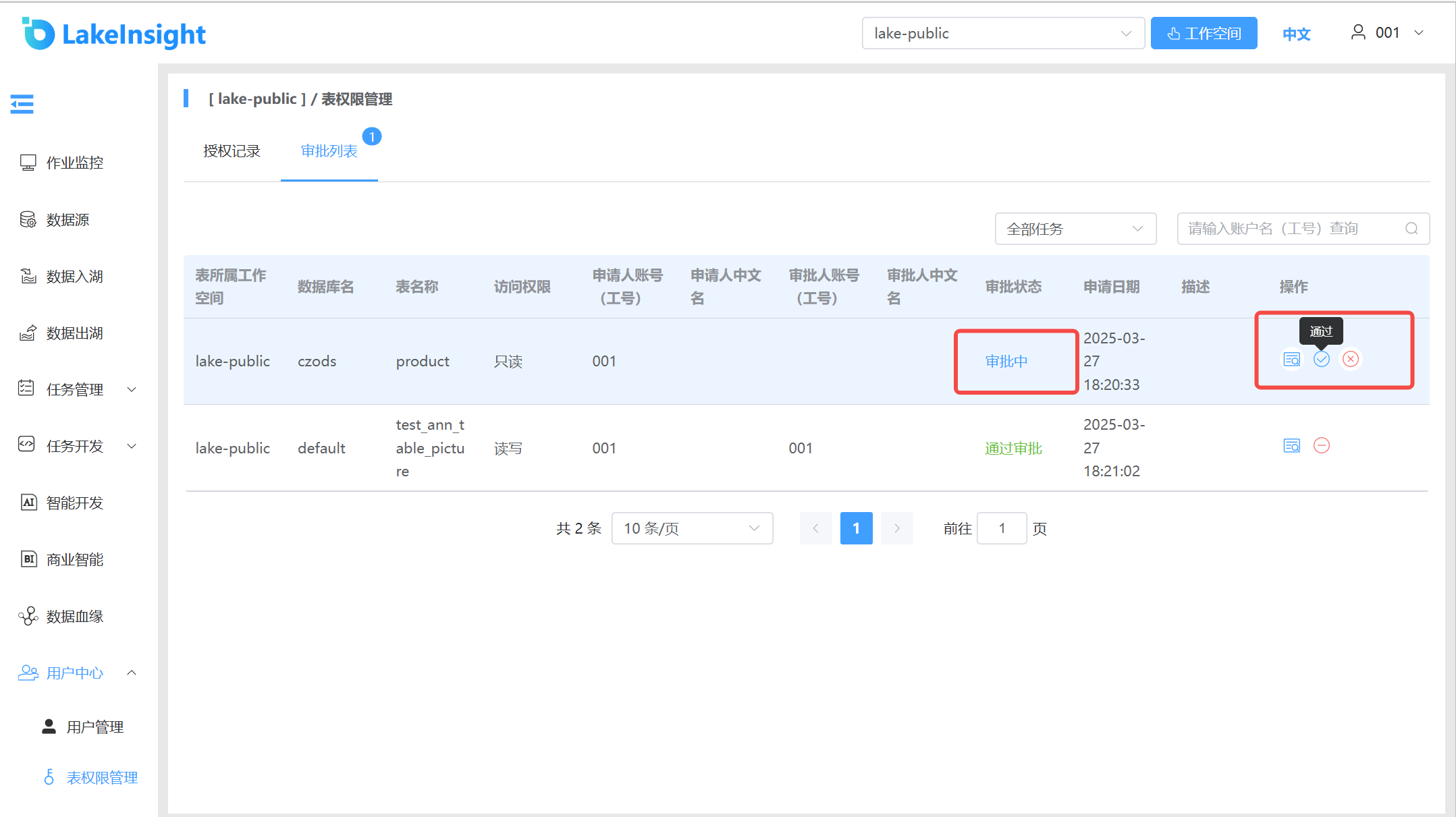
For approved applications, you can revoke table permissions by clicking the Revoke Authorization button. The applicant user will then lose access to the table permissions.