User Management
Manage user information, add and remove users, and configure user permissions. The following sections cover User List and Workspace Users.
User List is only visible to Super Administrators and manages all user accounts.
Workspace Users is visible to Super Administrators and Data Lake Administrators.
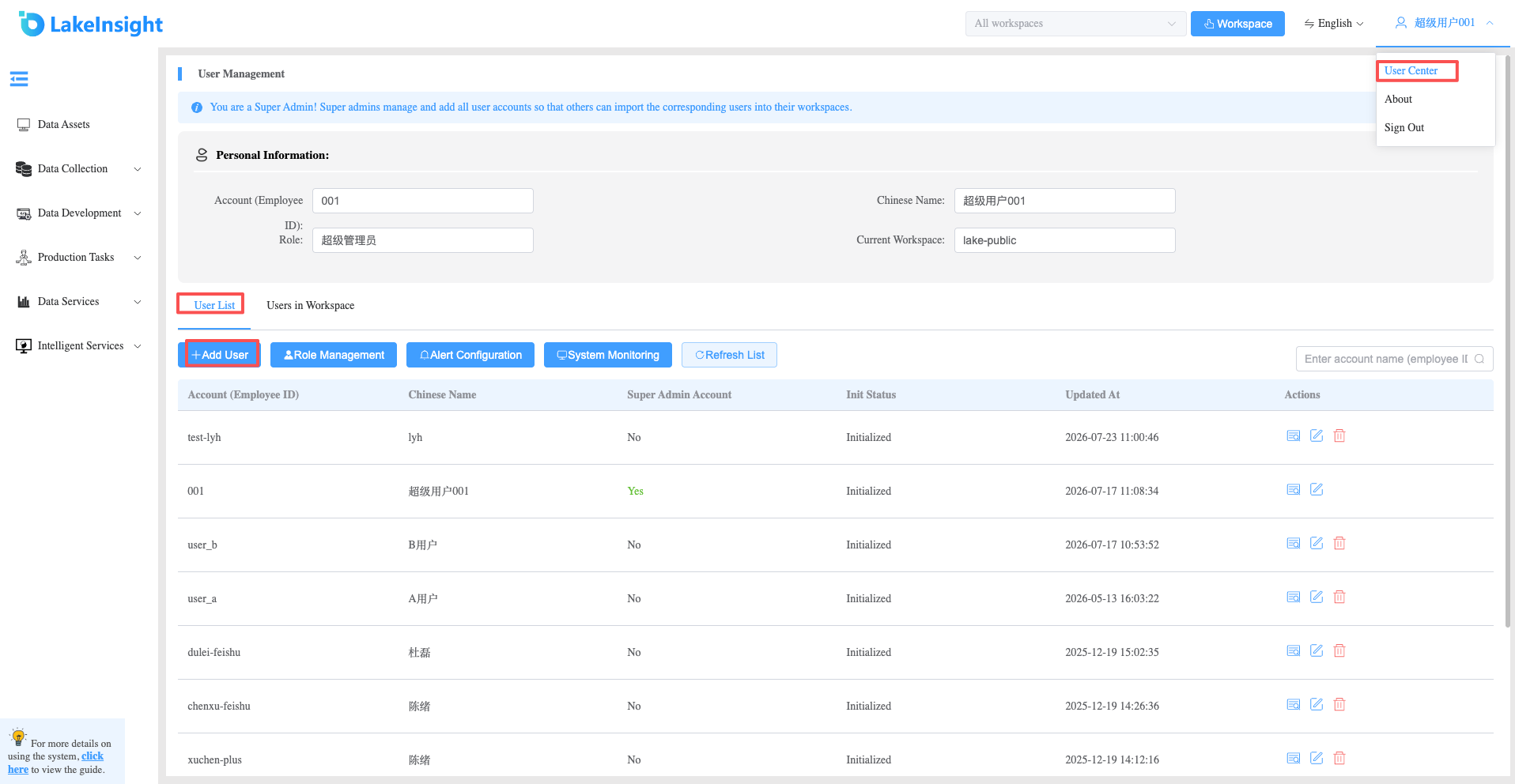
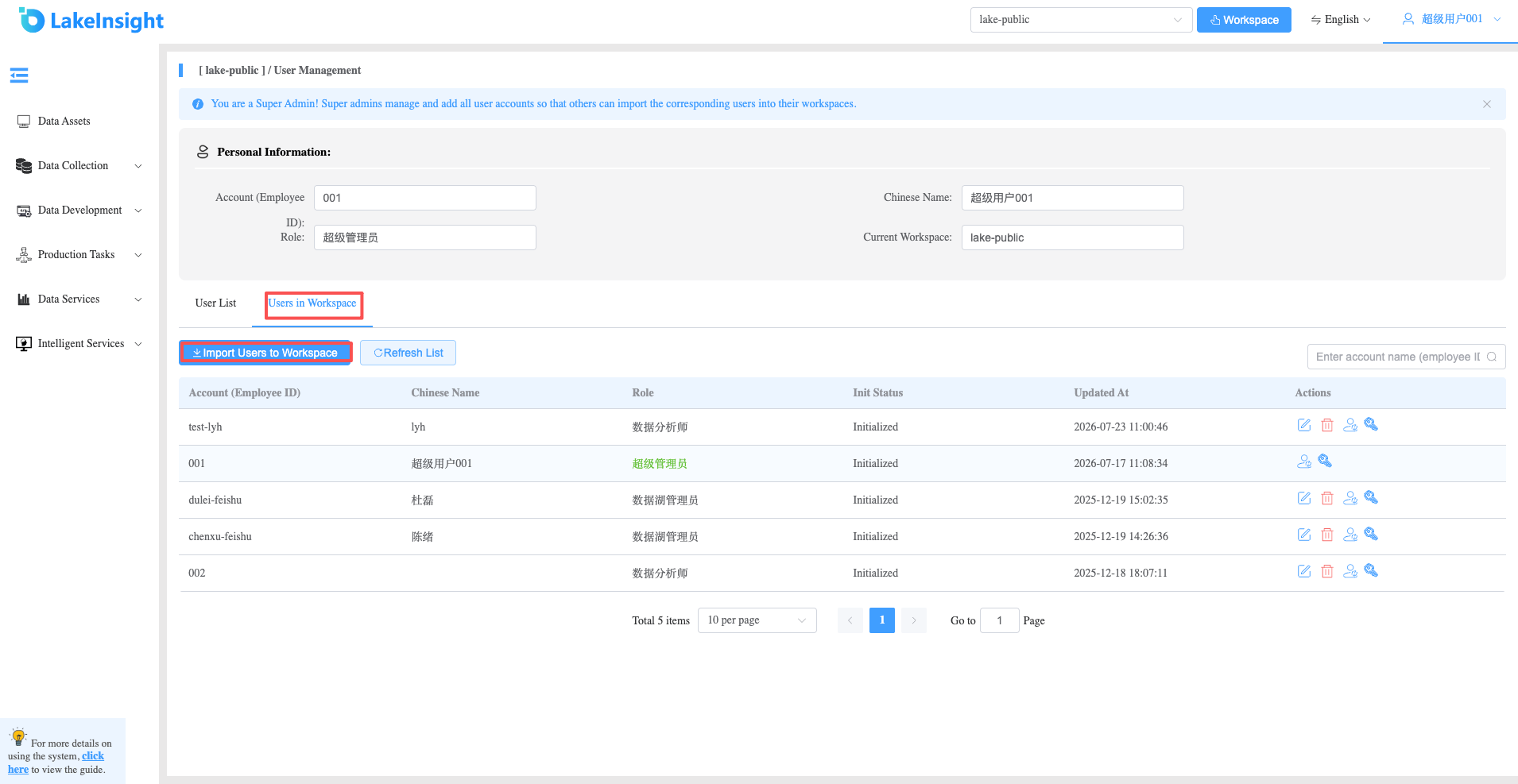
To add a user to a specific workspace: first, the super admin must add the user account in the User List; second, a workspace admin or super admin must go to Workspace Users to pull the user into the specific workspace.
- Super admin adds a user account.
- Data Lake Admin or Super Admin pulls the user into a workspace.
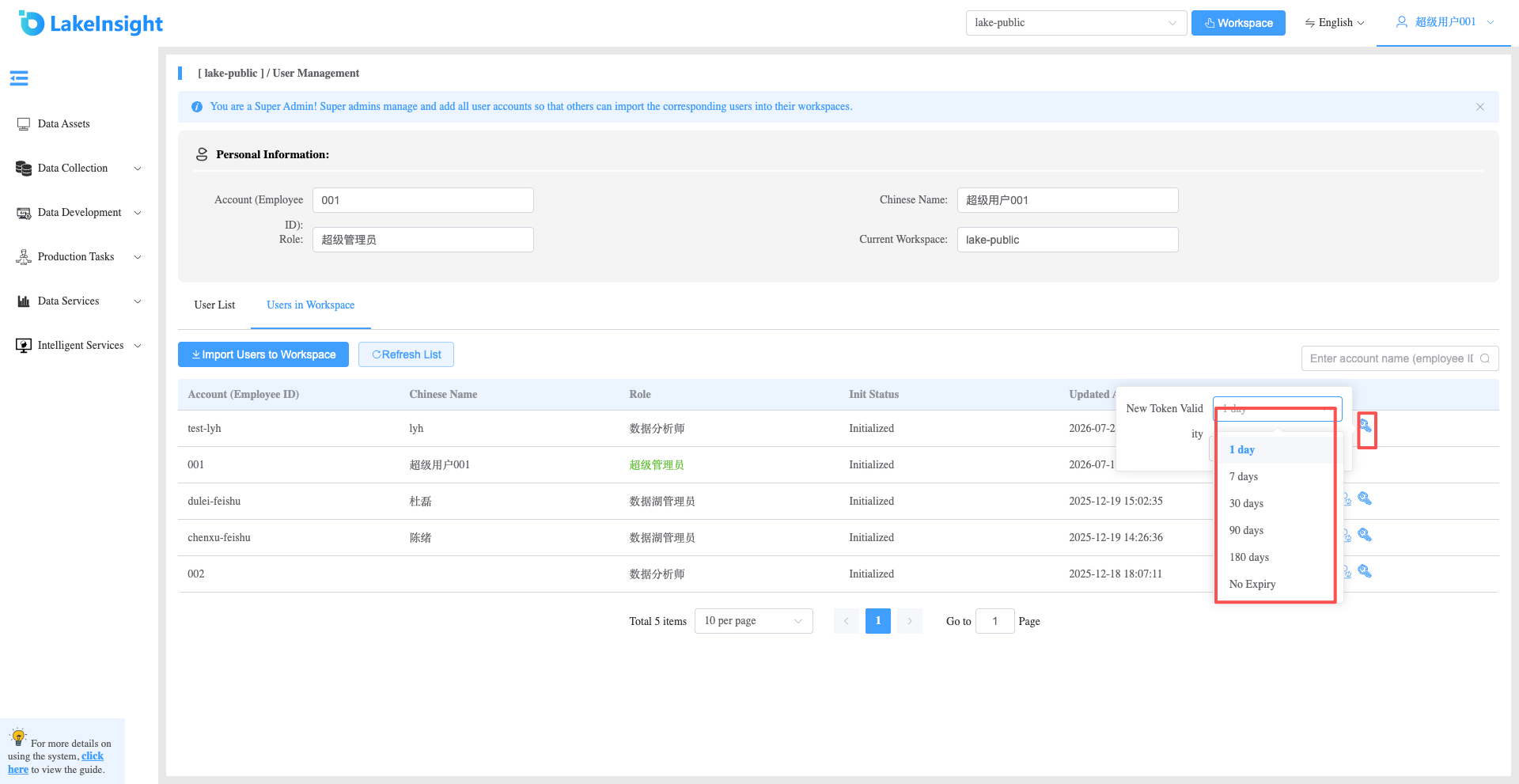
- Data Lake Admin or Super Admin can reset the query service token by clicking the Reset Data Query Service Token button.