Role Management
Super administrators can manage roles.
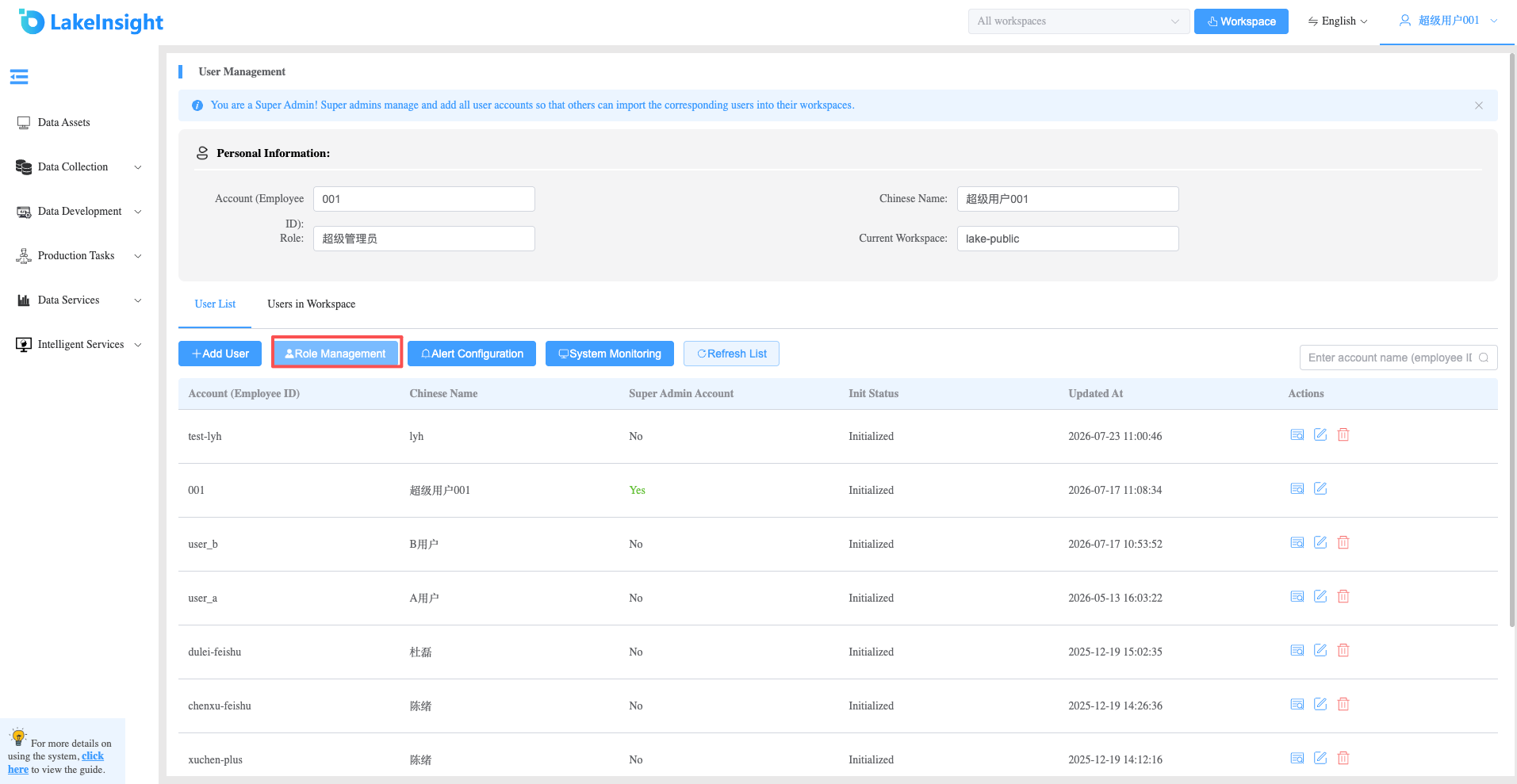
- Click the Role Management button to enter the role management page.
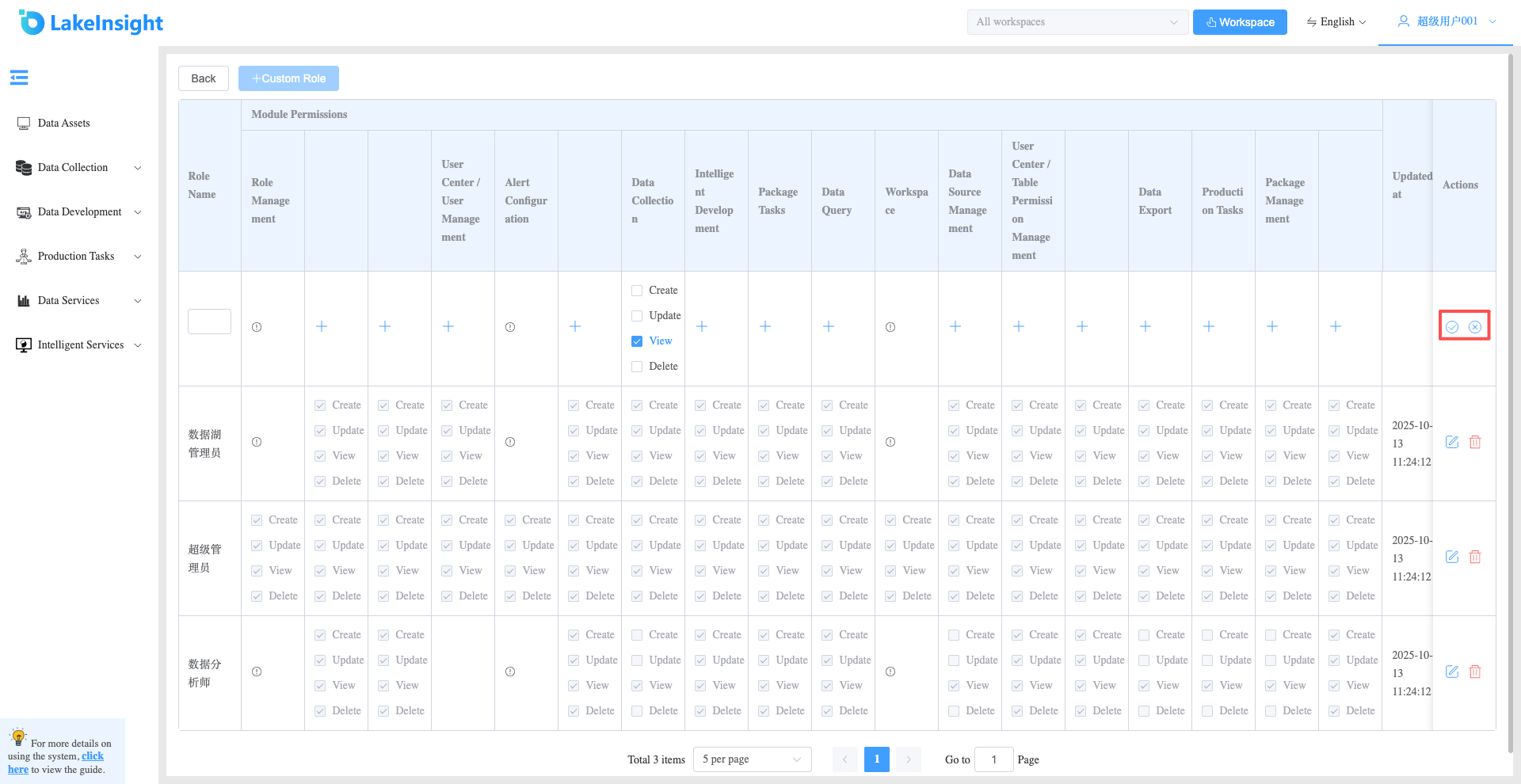
- On the role management page, click the Custom Role button to create a new role. Enter the role name, select the relevant module permissions, and click Create or Cancel to complete or cancel role creation.
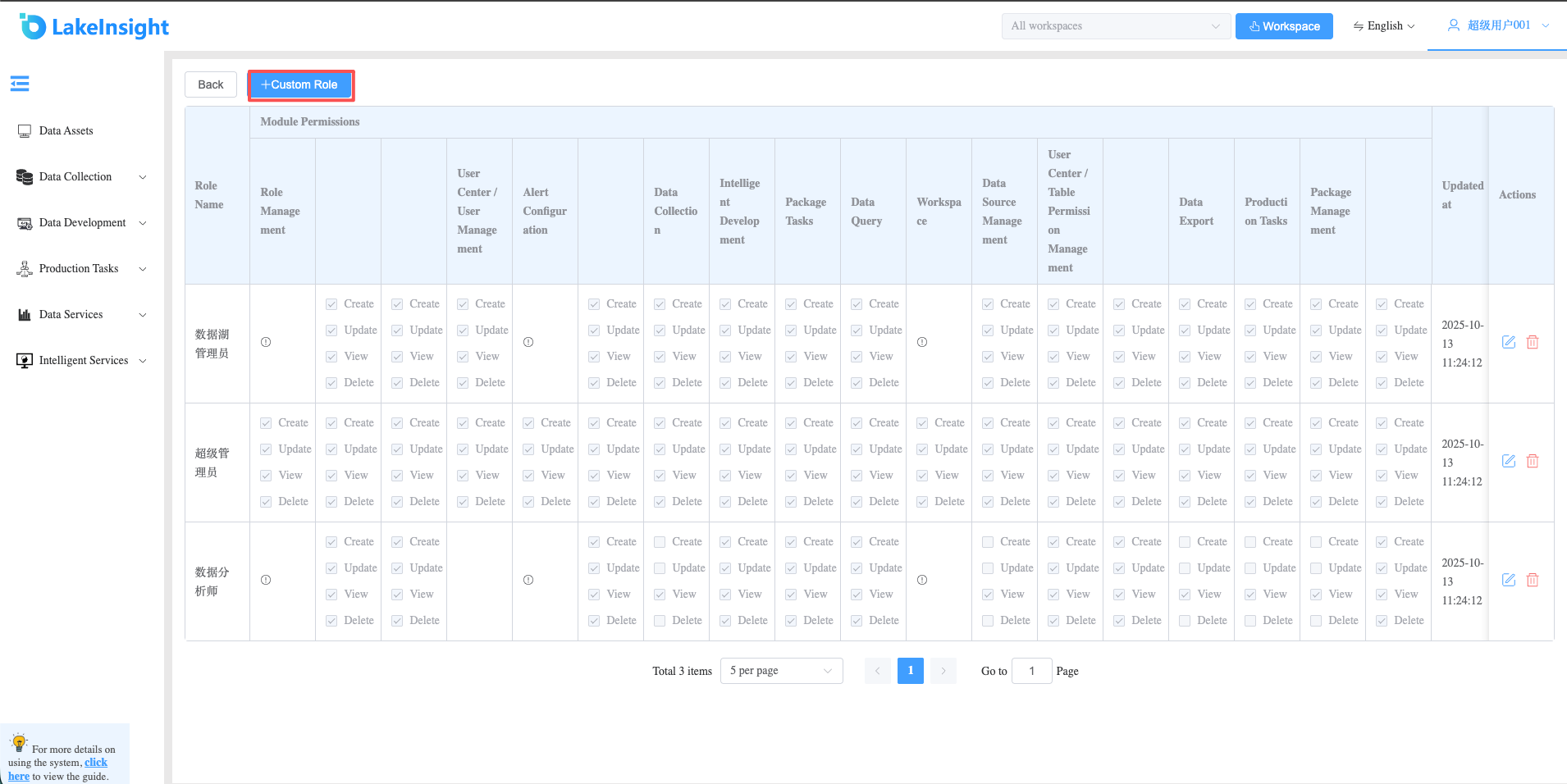
- Click the Edit or Delete button on an existing role to update or remove it.