Cluster Management
LakeInsight Cloud supports connecting your existing Kubernetes clusters and using them as the runtime environment for LakeInsight instances. After connecting a cluster, you can view its status in the platform and create and manage LakeInsight instances in it.
Connect a Cluster
Go to Cluster Management → Cluster Import and follow the wizard to connect a cluster. The wizard has 3 steps:
1. Basic information
Fill in the cluster name and select the cloud provider. Your existing infrastructure can be reused directly; supported Kubernetes environments include:
- Alibaba Cloud ACK
- Huawei Cloud CCE
- Self-managed Kubernetes
Different Kubernetes environments may differ in networking, storage, and access entry. Please prepare the corresponding prerequisites based on your actual cluster environment.
2. kubeconfig
Paste or upload the kubeconfig configuration (only kubeconfig connection is supported).
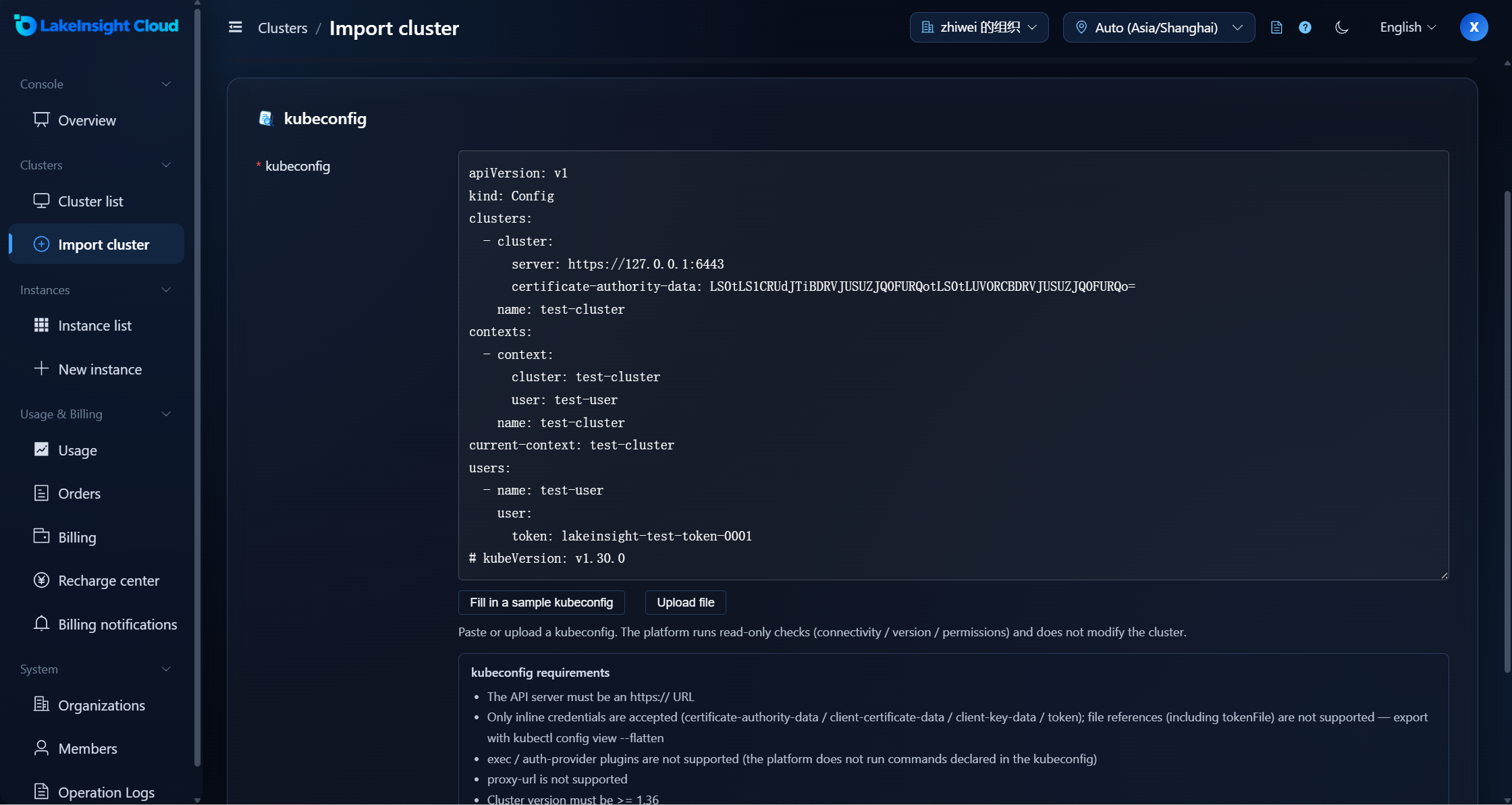
The kubeconfig must be self-contained: only inline credentials are accepted (certificate-authority-data, client-certificate-data, client-key-data, or token); references to local files (including tokenFile) are not supported. The platform does not execute commands declared in the kubeconfig, so exec / auth-provider credential plugins and proxy-url are not supported. You can export a self-contained kubeconfig with kubectl config view --flatten.
For more validation rules, see the next step, Verify & import.
3. Verify & import
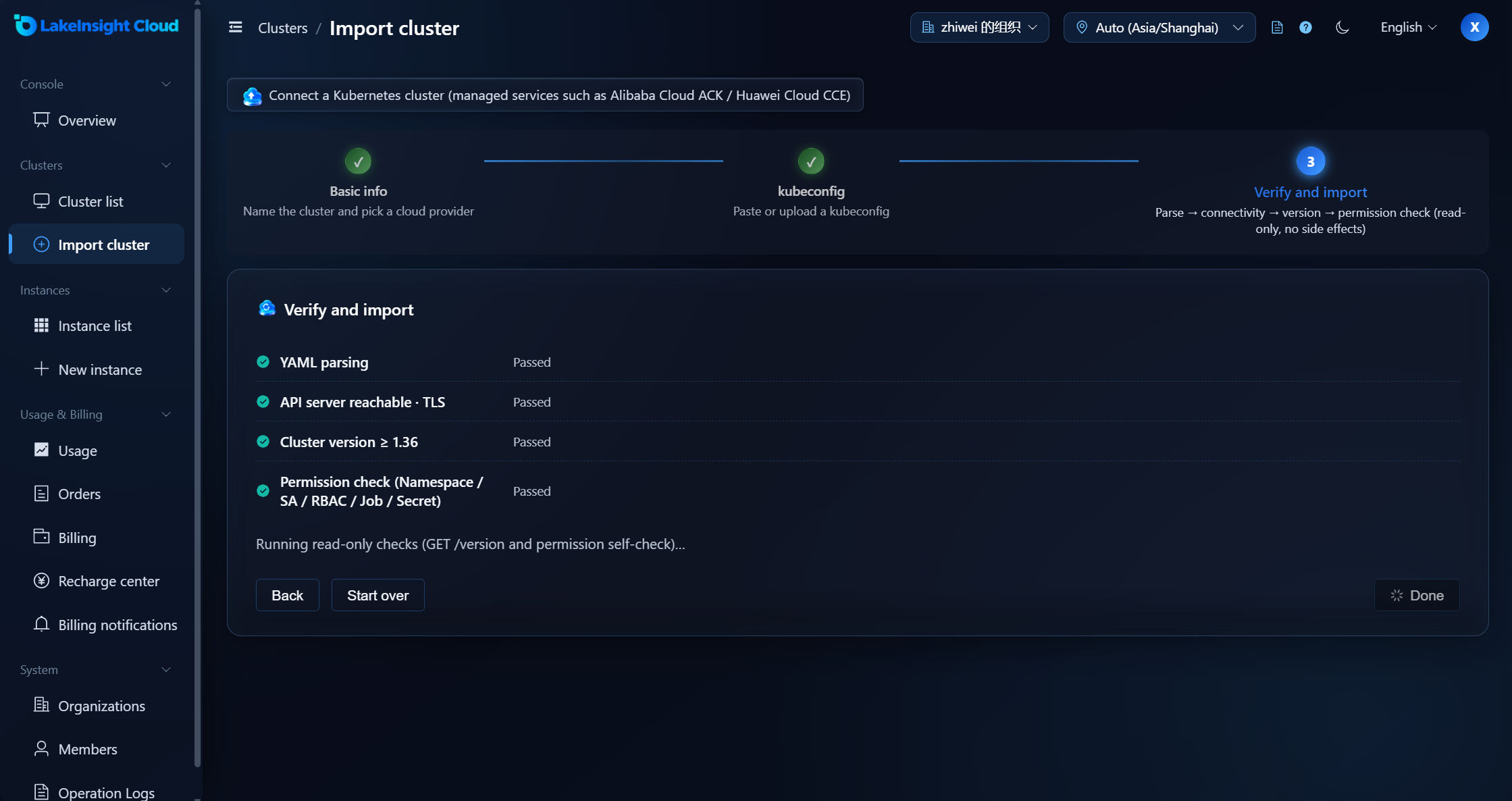
The platform runs read-only checks on the kubeconfig (without modifying the cluster), in this order:
| Check Item | Description |
|---|---|
| YAML parsing | Checks whether the kubeconfig is valid YAML and whether the current context's cluster and credentials can be resolved |
| API server connectivity · TLS | Checks whether the API Server is an https address and reachable by the platform (TLS handshake + GET /version) |
| Cluster version | Checks whether the Kubernetes version meets the requirement (≥ 1.36) |
| Permission check | Checks whether the credentials have Namespace / ServiceAccount / RoleBinding / Job / Secret permissions |
The checks are read-only probes: the version is read via GET /version and permissions are self-checked with SelfSubjectAccessReview, with no side effects; import completes only after all checks pass. A server pointing at a cloud metadata / link-local address is also rejected.
Cluster List
After import, you can view the connected clusters in Cluster Management → Cluster List.
In the list (or on the cards) you can see:
- Cluster name
- Cloud provider
- Status (Connected / Unhealthy)
- Deployment credential (whether the kubeconfig is saved)
- Heartbeat (the last probe time)
- Instance count (the number of instances on the cluster; currently at most 1 per cluster)
- Connected at
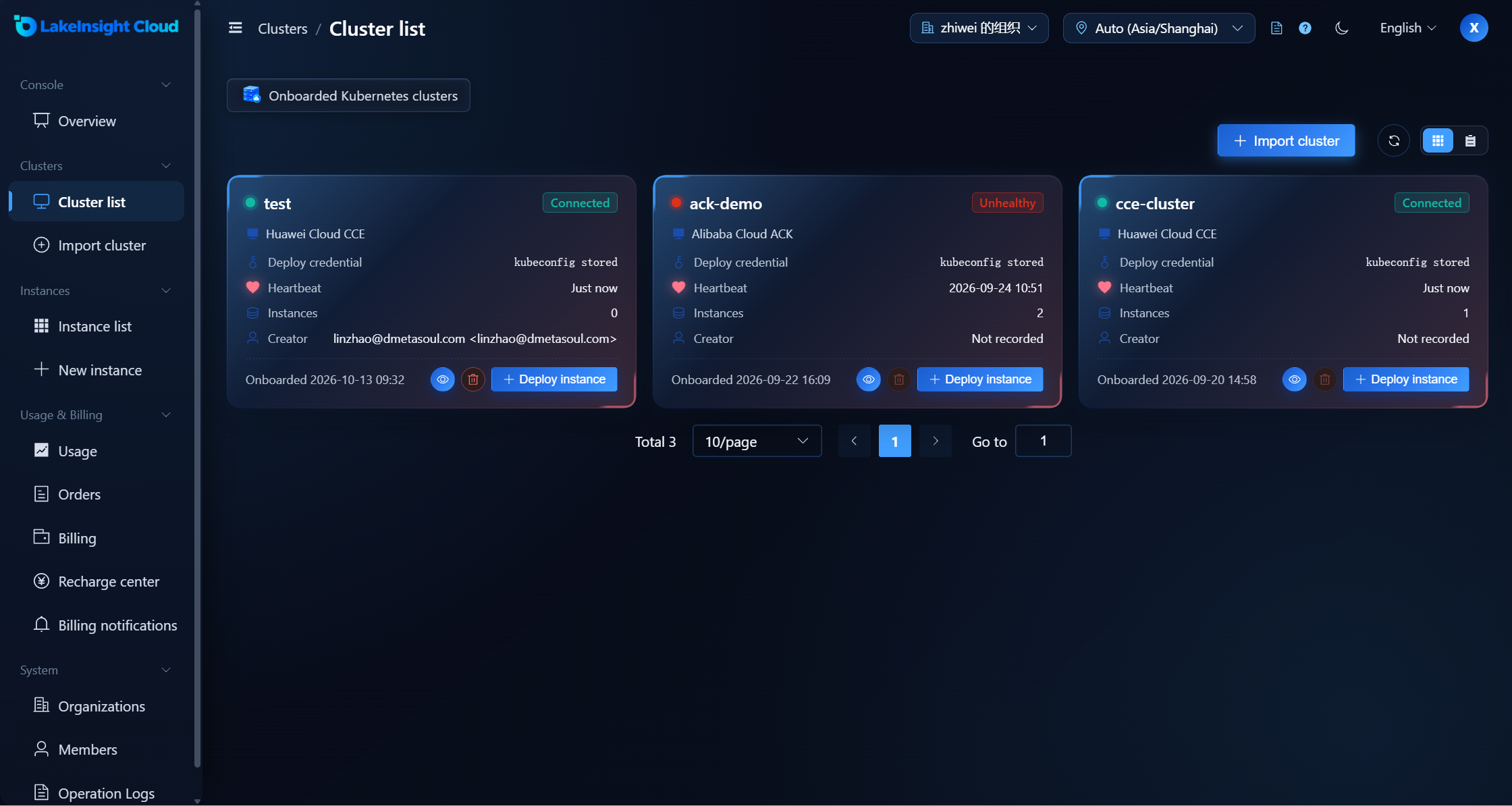
The platform continuously checks the connection status of connected clusters. When a cluster cannot be reached, the platform shows the corresponding abnormal status.
A cluster can run only one LakeInsight instance at a time. If the cluster already hosts an instance, stop (uninstall) it before deploying a new instance on that cluster.
Delete a Cluster
For clusters you no longer use, you can delete them on the cluster management page.
Before deleting a cluster, make sure there are no LakeInsight instances still in use under it.