Organizations
Go to System Management → Organizations to manage the organizations you created or joined. Resources and member permissions are always scoped to the organization.
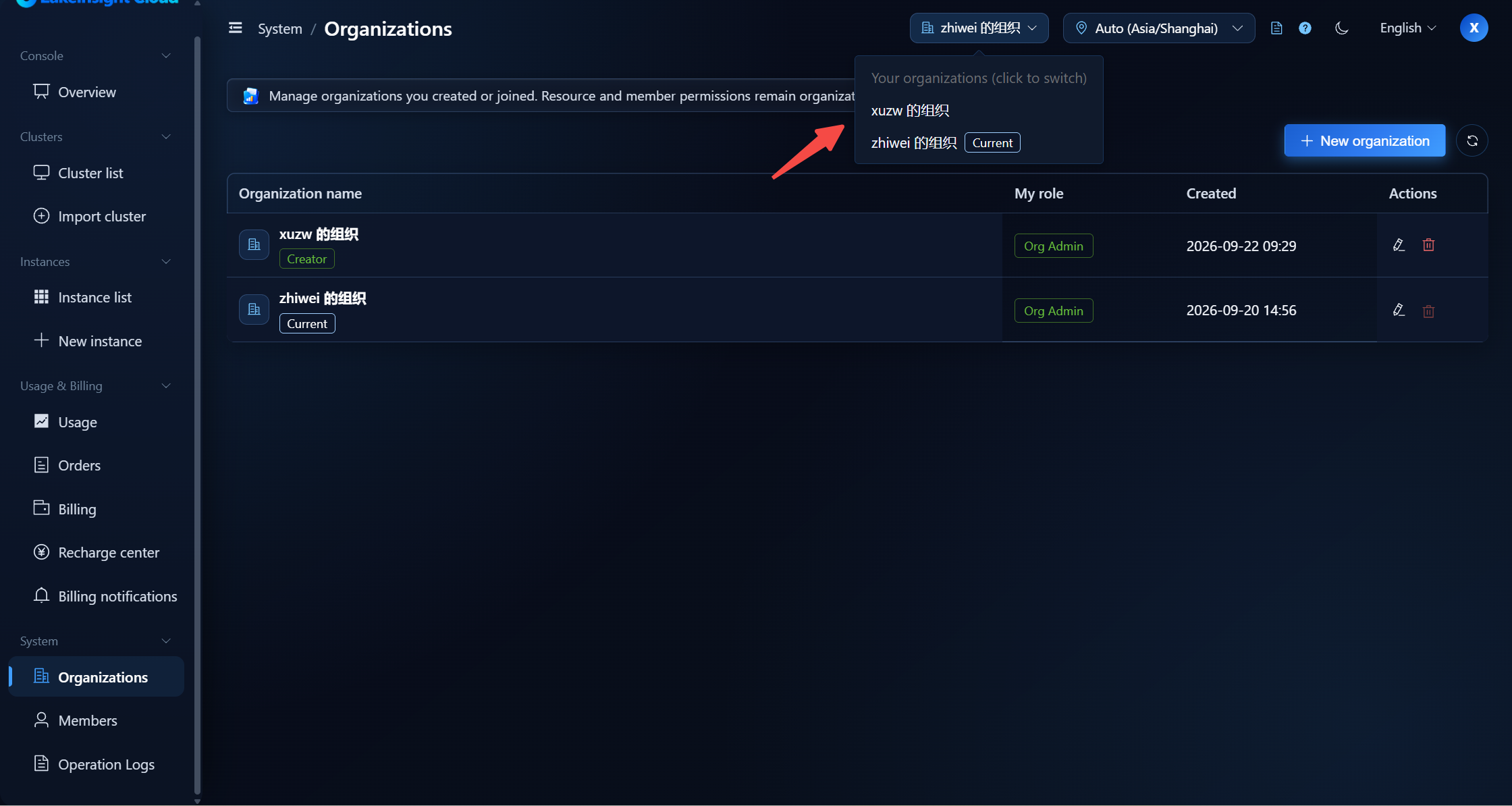
Creating and Switching Organizations
- Click New organization, enter a name, and it is created; the new organization becomes the current one automatically.
- Click an organization in the list to switch to it.
Renaming and Deleting
- Rename: only an Org Admin can rename an organization.
- Delete: only the organization creator can delete, and at least one organization must remain. Only organizations without members, clusters, or instances can be deleted. The audit record is retained, but deletion cannot be undone (you must re-enter the organization name to confirm).
Permissions
| Action | Requirement |
|---|---|
| Create organization | No extra restriction |
| Rename | Org Admin |
| Delete | Organization creator, and at least one organization must remain |
Next Steps
To manage members and roles, see Members.