Collection Tasks
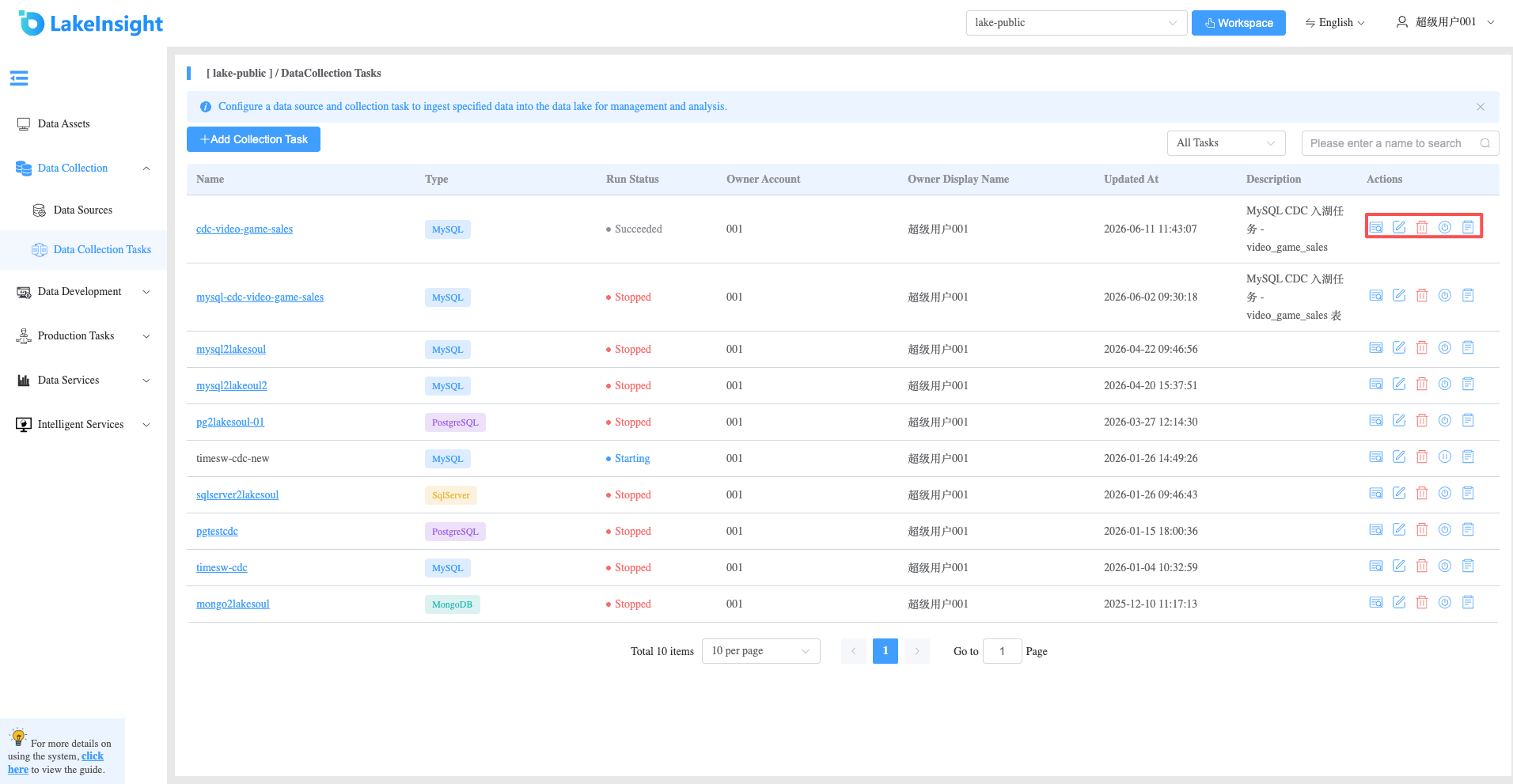
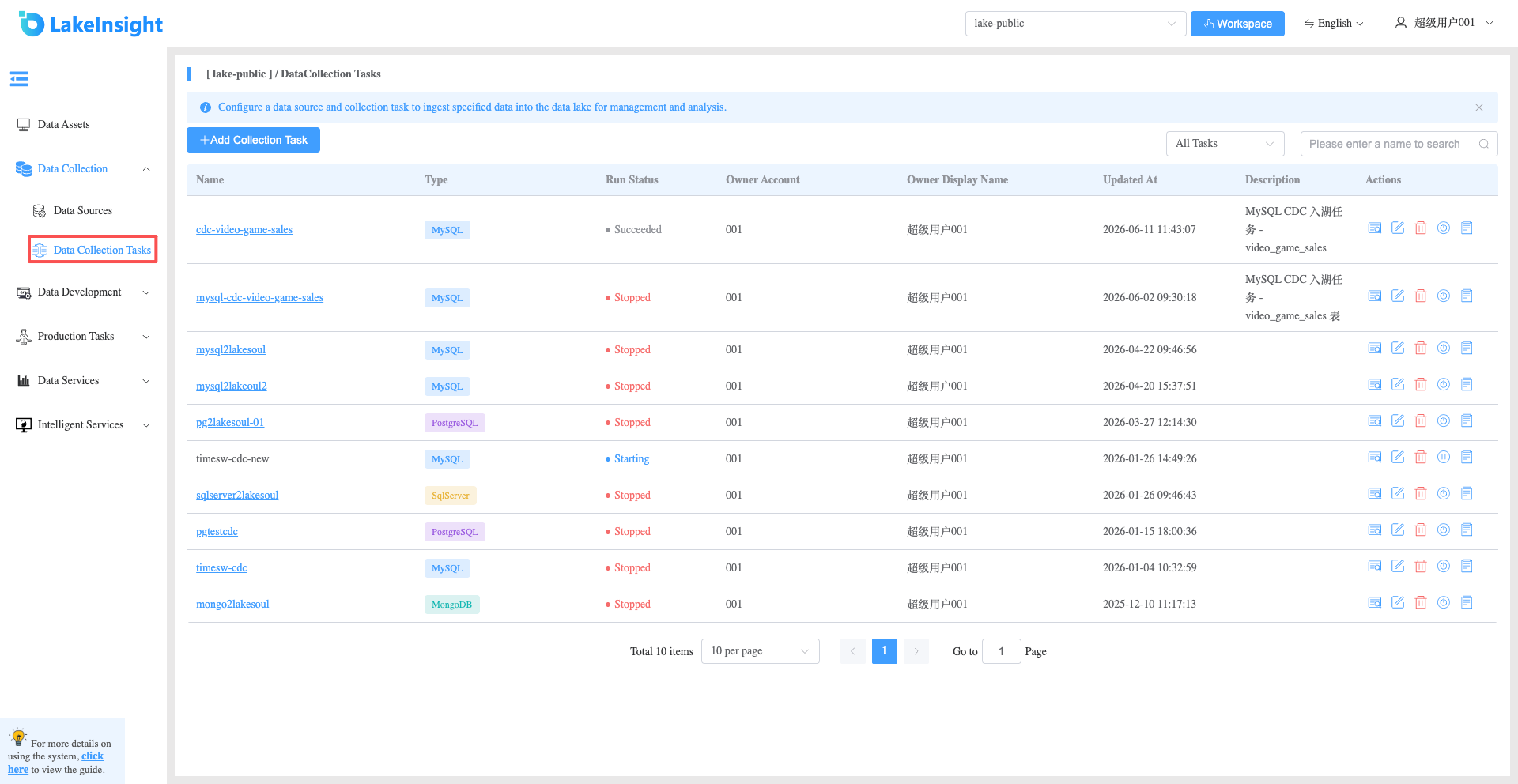
Click Data Collection > Collection Tasks in the left sidebar to view the list of collection tasks created under the current workspace.
Create Collection Task
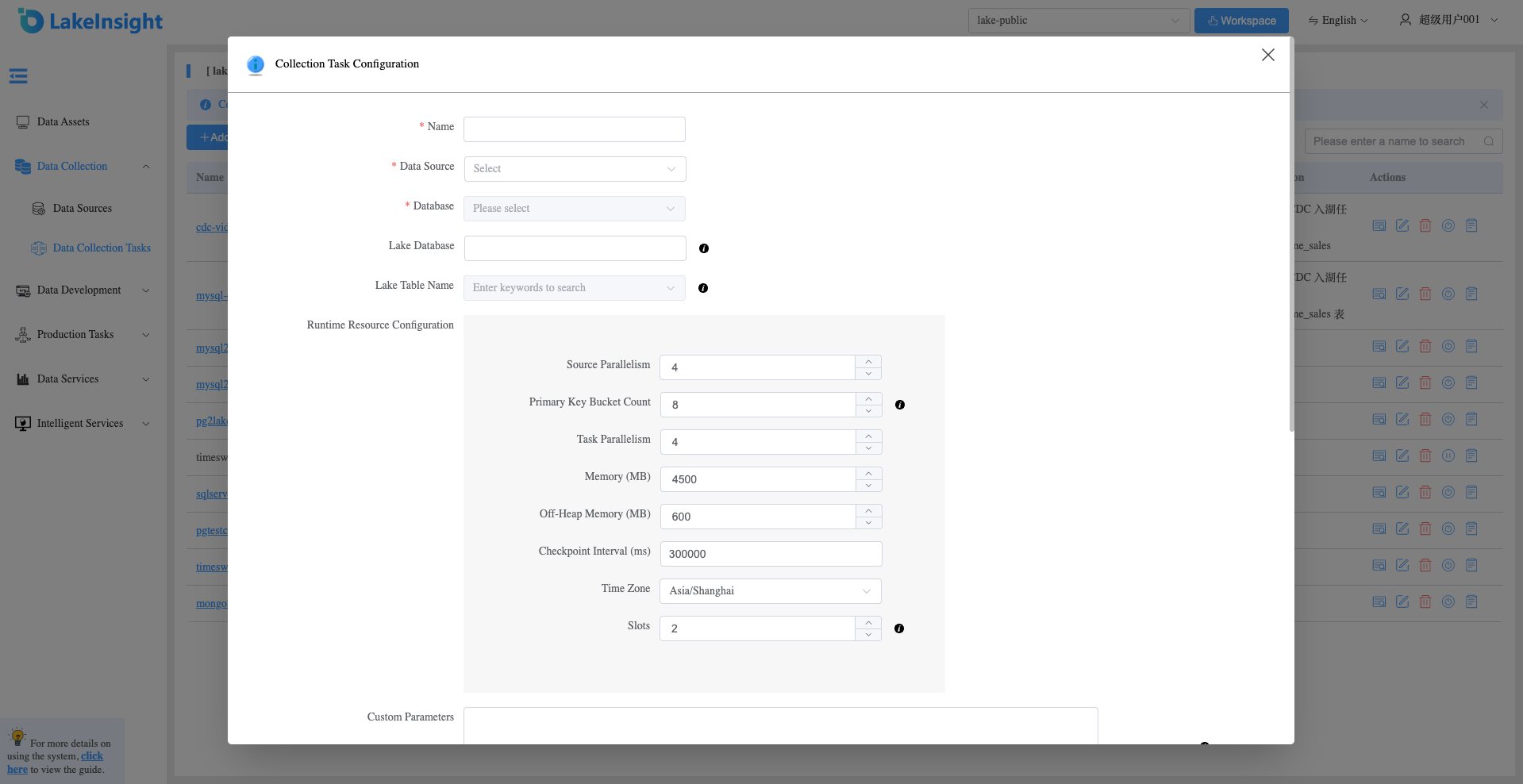
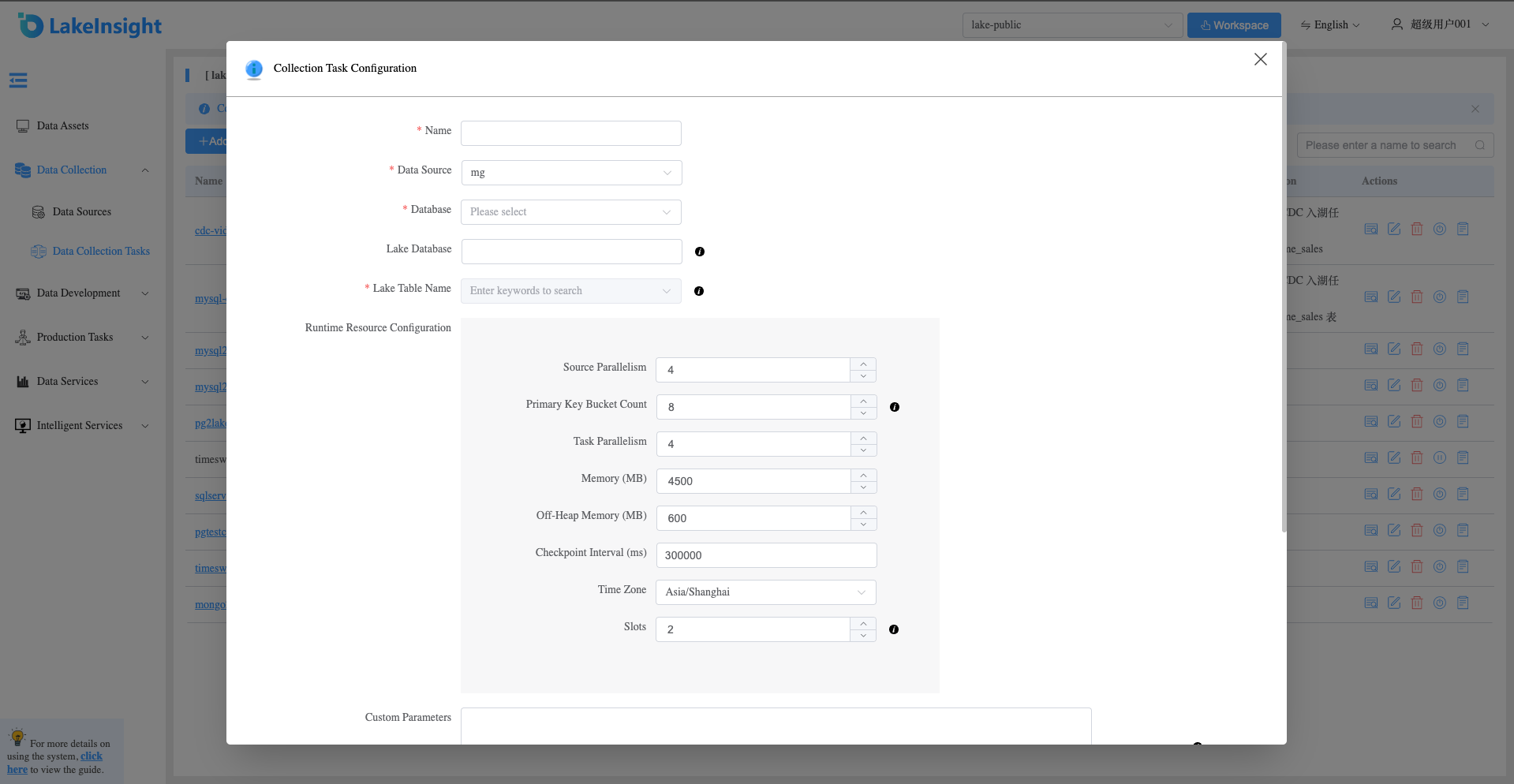
Click the Add Collection Task button and fill in the form fields from top to bottom: enter the collection task name, select a data source (different data sources display different configuration forms), and provide other required resource information. Click Create to add a new collection task.
Task Parameter Description:
PostgreSQL Data Ingestion Notes:
Version Restrictions
Currently supports synchronizing PostgreSQL versions 9.6, 10, 11, 12, 13, 14, 15, and 16. You can check the PostgreSQL version by running
select version().Enable Logical Decoding
Ensure
wal_levelis set tological; modifypostgresql.confand restart the database.Ensure the
replica identityof tables to be synchronized is set to FULL.Replica identity is a PostgreSQL table-level setting that determines whether logical decoding includes old values of affected columns for INSERT and UPDATE events. See REPLICA IDENTITY for details.
Ensure
max_wal_sendersandmax_replication_slotsparameter values exceed the current number of used replication slots plus the slots required by the Flink job.Ensure the account has SUPERUSER privileges or both LOGIN and REPLICATION privileges, along with SELECT permission on subscribed tables for full data queries.
You can view and modify the relevant parameters using the following SQL code:
-- View replica identity.
SELECT CASE relreplident
   WHEN 'd' THEN 'default'
   WHEN 'n' THEN 'nothing'
   WHEN 'f' THEN 'full'
   WHEN 'i' THEN 'index'
   END AS replica_identity
FROM pg_class
WHERE oid = 'mytablename'::regclass;

-- Modify replica identity.
ALTER TABLE mytablename REPLICA IDENTITY FULL;
Create an account with sync privileges
The data sync account requires REPLICATION and LOGIN privileges, as well as SELECT permission on the tables to be synchronized.
CREATE ROLE <replication_user> REPLICATION LOGIN;

GRANT SELECT ON <table_name> TO <name>;
Data Sync Plugin
PostgreSQL 10 and above have the pgoutput sync plugin installed by default. For other versions or to install other sync plugins, see Installing Logical Decoding Plugins.
If you use pgoutput as the sync tool, ensure the account is the owner of the tables to be synchronized. Follow these steps to ensure the sync account is the table owner:
-- 1. Create a sync group.
CREATE ROLE <replication_group>;

-- 2. Add the original table owner to the sync group.
GRANT REPLICATION_GROUP TO <original_owner>;

-- 3. Add the sync account to the sync group.
GRANT REPLICATION_GROUP TO <replication_user>;

-- 4. Transfer relevant permissions to the sync group.
ALTER TABLE <table_name> OWNER TO REPLICATION_GROUP;
Note:
At this point, the sync account is only the owner of individual tables, so set debezium.publication.autocreate.mode to filtered in the WITH parameters. If setting permissions for each table is too cumbersome, you can directly grant the pg_monitor privilege to the sync account.
GRANT pg_monitor TO <replication_user>;
Kafka Data Ingestion Parameters:
| Parameter | Description | Required | Notes |
|---|---|---|---|
| Name | Task name | Required | Name must start and end with lowercase letters or digits; can only contain lowercase letters, digits, "-", and "." |
| Data Source | Configured Kafka cluster list | Required | Data source configuration currently requires backend operation |
| Target Database | Target LakeSoul database name | Optional | If not specified, creates databases matching source table databases; if specified, creates the specified database |
| Topic Name Type | Whether topic is a regex | Required | Normal: topic is a full name, multiple topics can be selected; Regex: one task reads multiple topics by regex. Note: for regex, Kafka data format must be consistent — all Avro or all Debezium-format strings |
| Topic Name | Topic name | Required | For Normal type: dropdown selection; for Regex type: enter regex string |
| Kafka Data Type | Data format in topic | Required | String: Debezium-format string data; Avro: Avro-format data requiring a Schema Registry service |
| Schema Registry URL | Registry service address | Required when data type is Avro | Example: http://ip:8081 (must include http://). Planned to be configured in data source info — won't need manual entry later |
| Consumption Mode | Starting position for consuming Kafka data | Required | Default: start from latest (if no real-time data, select consume from earliest offset) |
| Column Deletion Behavior | Strategy when source table schema drops a column | Optional | Retain column: ingested data can still query the column, but data is null after schema deletion; Drop column: column info is no longer queryable |
| Max Records Per Fetch | Max records read from Kafka per fetch | Required | Default: 500 |
| Source Parallelism | Flink source parallelism | Required | |
| Sink Parallelism | Flink sink parallelism | Required | |
| Checkpoint | Flink checkpoint interval | Required | Default: 600000ms; ingested data becomes queryable after each checkpoint |
| Description | Task description | Optional |
SQLServer Data Ingestion Notes:
SQLServer Configuration:
Enable SQLServer Agent
If Agent is not running:
CDC cannot extract changes from the log
CDC change tables will not update
Flink CDC / Debezium cannot get incremental data
Only snapshot may work, but incremental data never arrives
Check if Agent is running
EXEC xp_servicecontrol 'querystate',N'SQLServerAgent';
go
Enable CDC for database
USE master;
GO
EXEC sys.sp_cdc_enable_db;
GO
Enable CDC for tables to collect
USE MyDB;
GO

EXEC sys.sp_cdc_enable_table
    @source_schema     = N'dbo',        -- Schema of the source table to enable CDC for
    @source_name       = N'MyTable',    -- Name of the source table to enable CDC for
    @role_name         = N'MyRole',     -- Database role MyRole granted SELECT on change tables
                                         -- If NULL, only sysadmin or db_owner members can access CDC data
    @filegroup_name    = N'MyDB_CT',    -- Filegroup for CDC change data (must already exist)
                                         -- It is recommended not to place change tables in the same filegroup as source tables
    @supports_net_changes = 0           -- 0 = capture all change details without net changes
GO
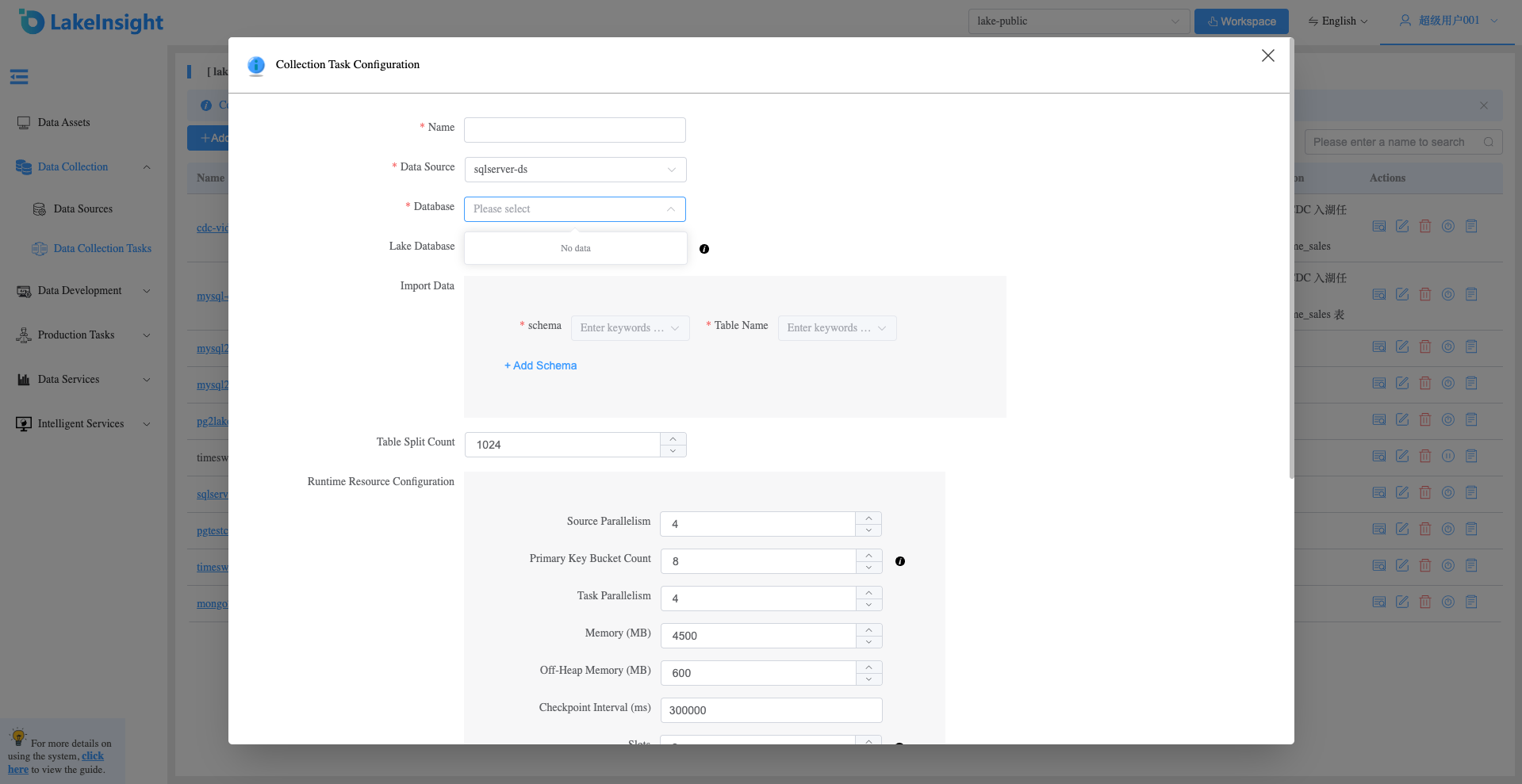
SQLServer data ingestion requires users to first specify the database, then the corresponding schema and table.
MongoDB Ingestion Notes:
Requires MongoDB version 6.0 or above, and MongoDB must be a replica set or sharded cluster.
View Details, Edit, Delete, Start/Stop, View Logs.
Each collection task in the list includes View Details, Edit, Delete, Start/Stop, and View Logs buttons on the right side. Use them as needed.