Intelligent Services
Model Experiments
The Model Experiments module integrates MLflow experiment management capabilities, providing full lifecycle management for machine learning model training experiments, including experiment tracking, parameter logging, metric comparison, and model registration.
Click Intelligent Services > Model Experiments in the left navigation to enter the model experiment management interface. This page displays an overview of model experiments under the current workspace, including experiment counts, run statuses, and other key information.
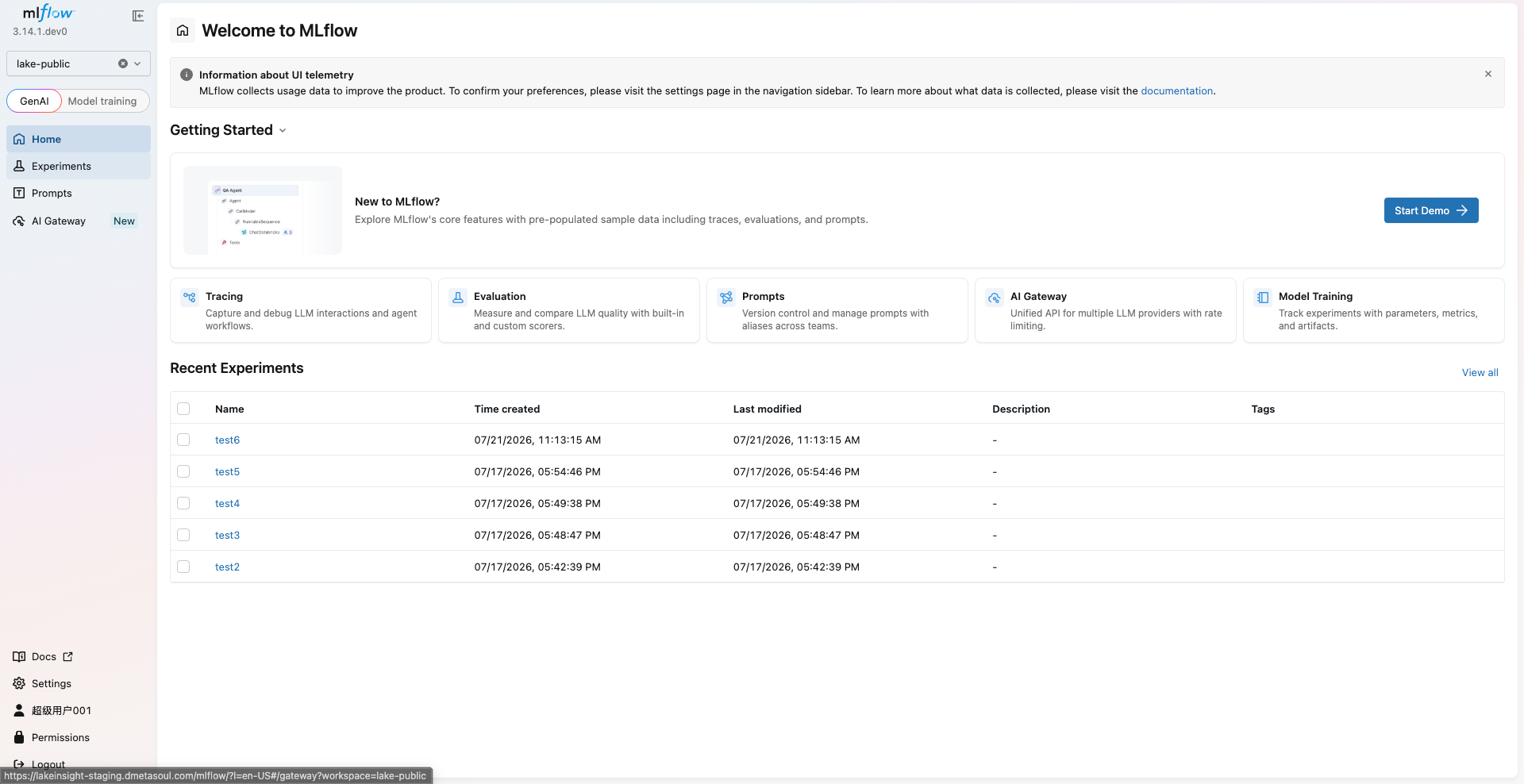
Select Workspace
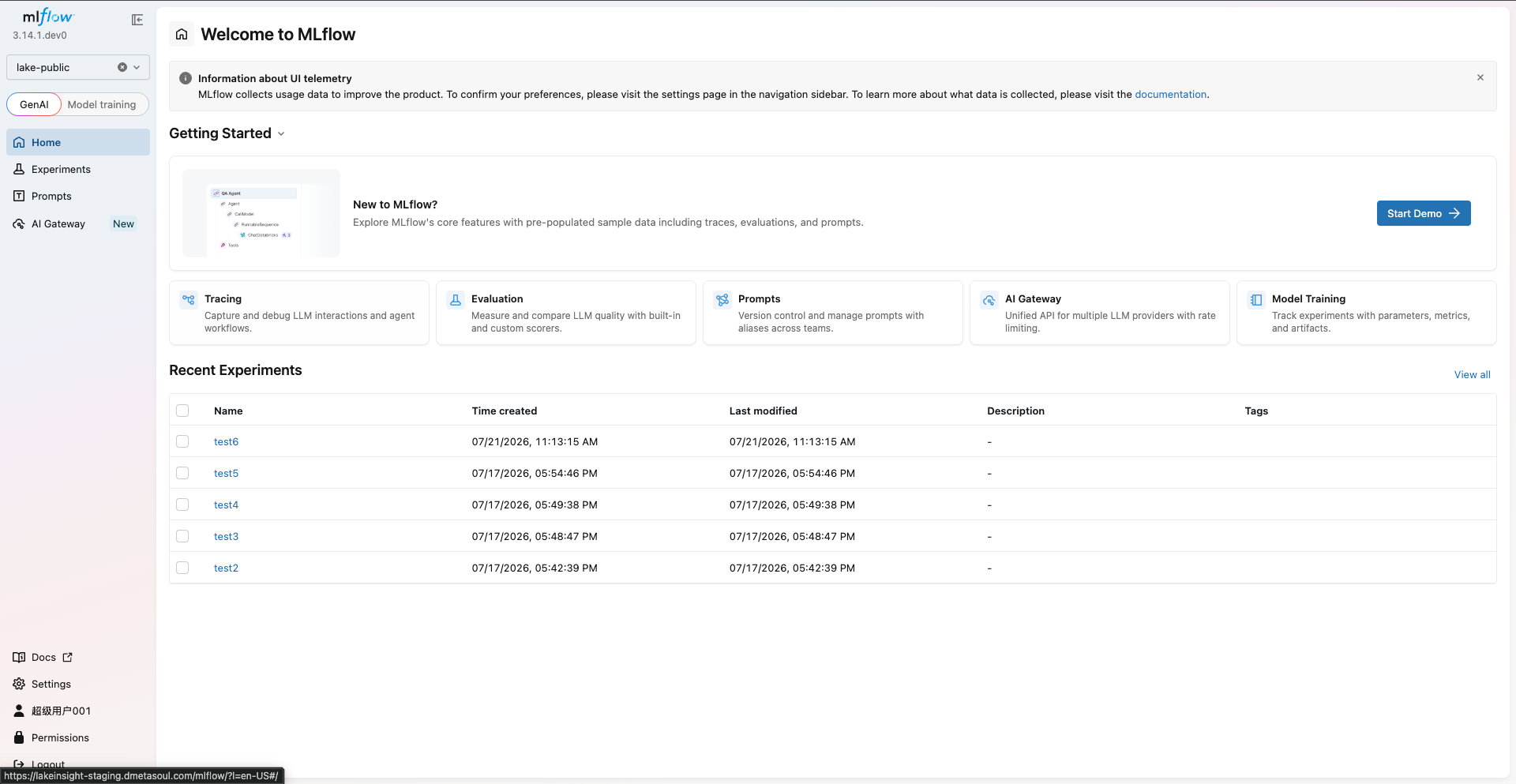
After selecting a target workspace from the top navigation bar, you will enter the workspace home page. The home page displays the list of model experiments under the current workspace, where you can view experiment names, creation times, recent run statuses, and other details. MLflow automatically tracks the parameters, metrics, and artifacts of each run, helping teams compare and reproduce experiment results.
Experiment Management
Experiment List and Operations
Click the Experiments section on the left to view all experiments under the current workspace. On the experiment list page, you can perform the following operations:
- Create Experiment: Create a new model training experiment to organize and track a set of related training runs
- Compare Experiments: Select multiple experiments or runs and compare their parameters and metrics side by side
- Delete Experiment: Clean up experiment records that are no longer needed
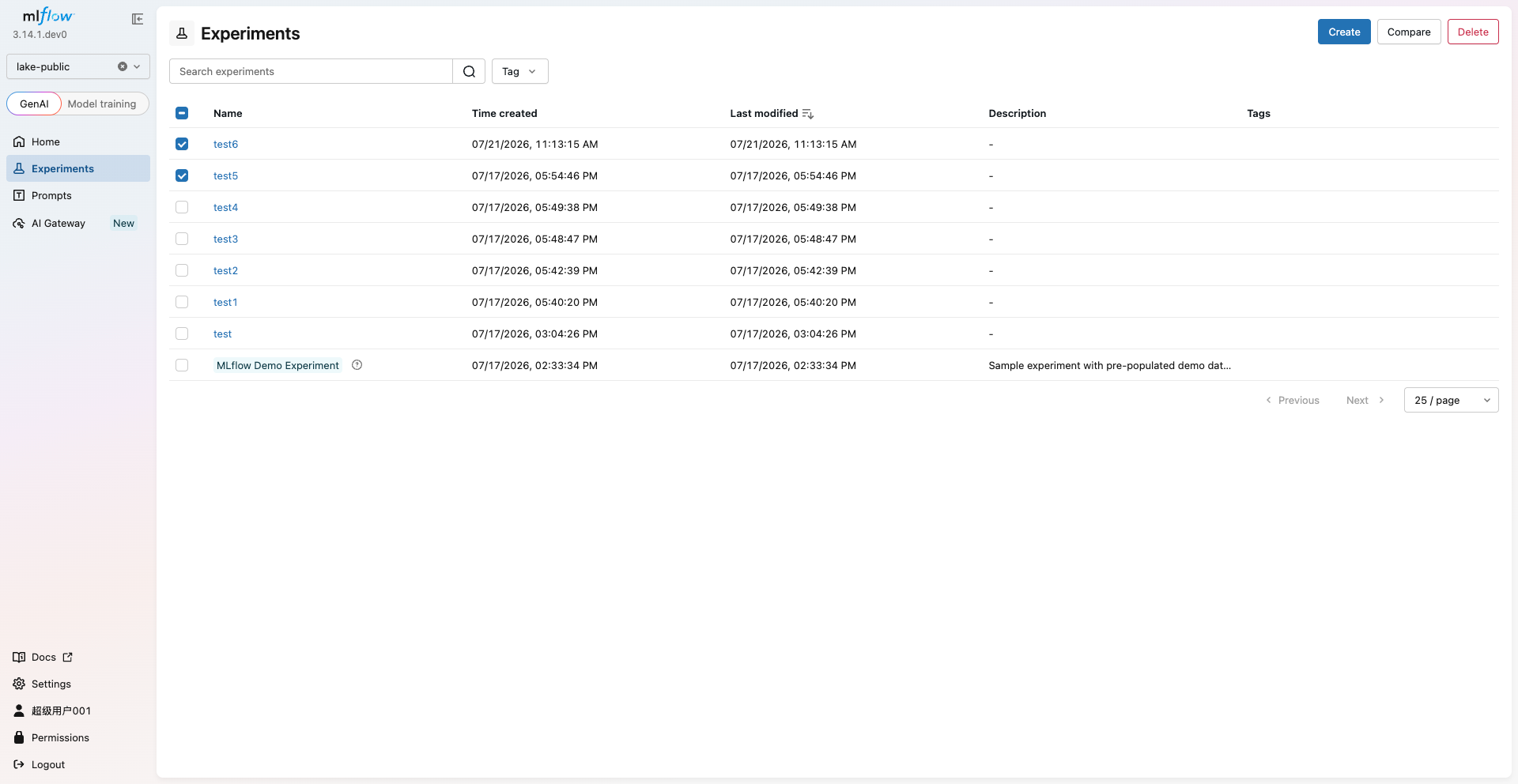
Create Experiment
Click the Create Experiment button, fill in the experiment name, description, and other details to create a new experiment. Once created, you can log the parameters, metrics, and model artifacts of each training run under this experiment.
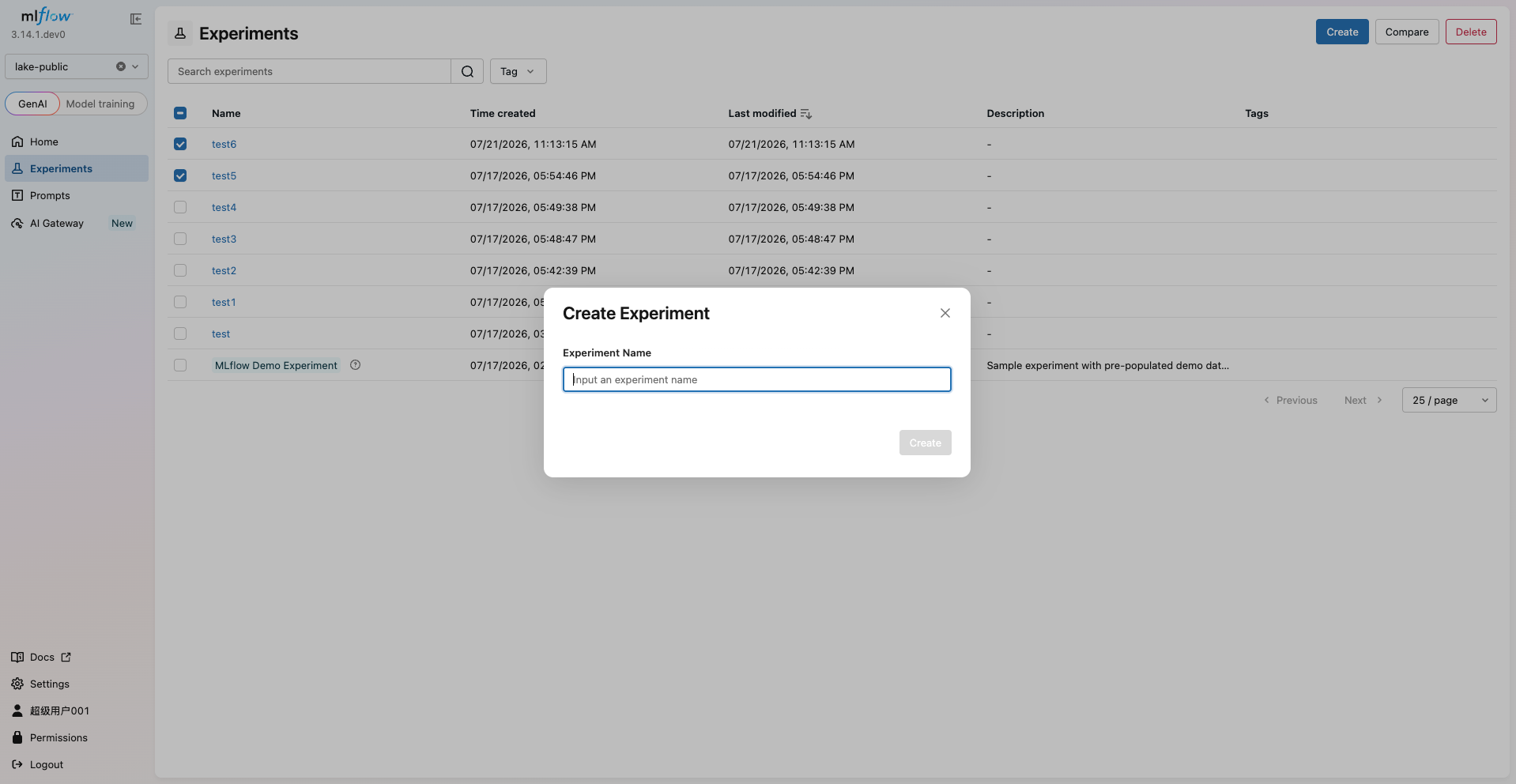
Compare Experiments
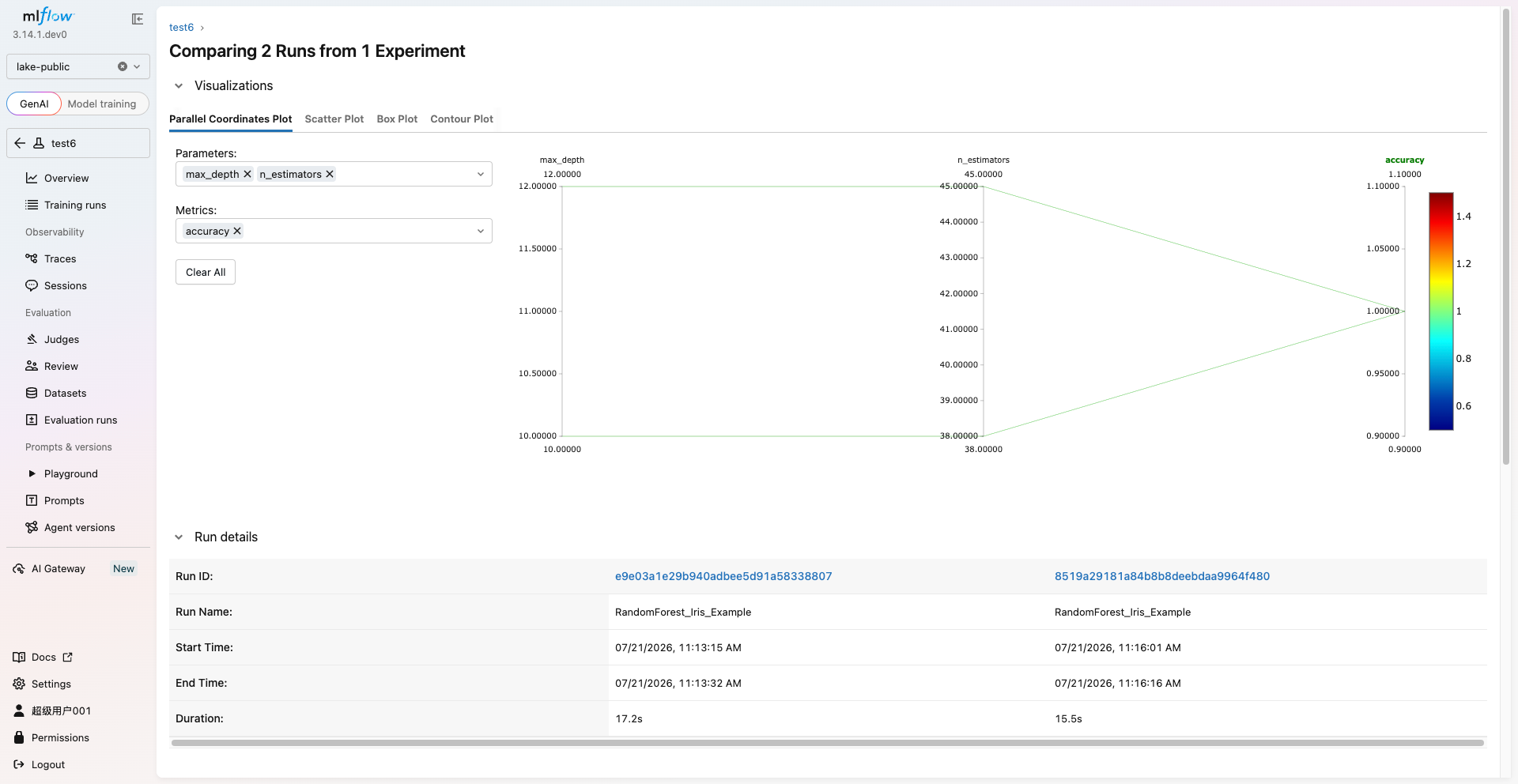
After selecting multiple experiments or runs, click the Compare button to enter the comparison view. The comparison page displays the parameter configurations and metric results of different runs in a side-by-side table format, helping you quickly identify the optimal model.
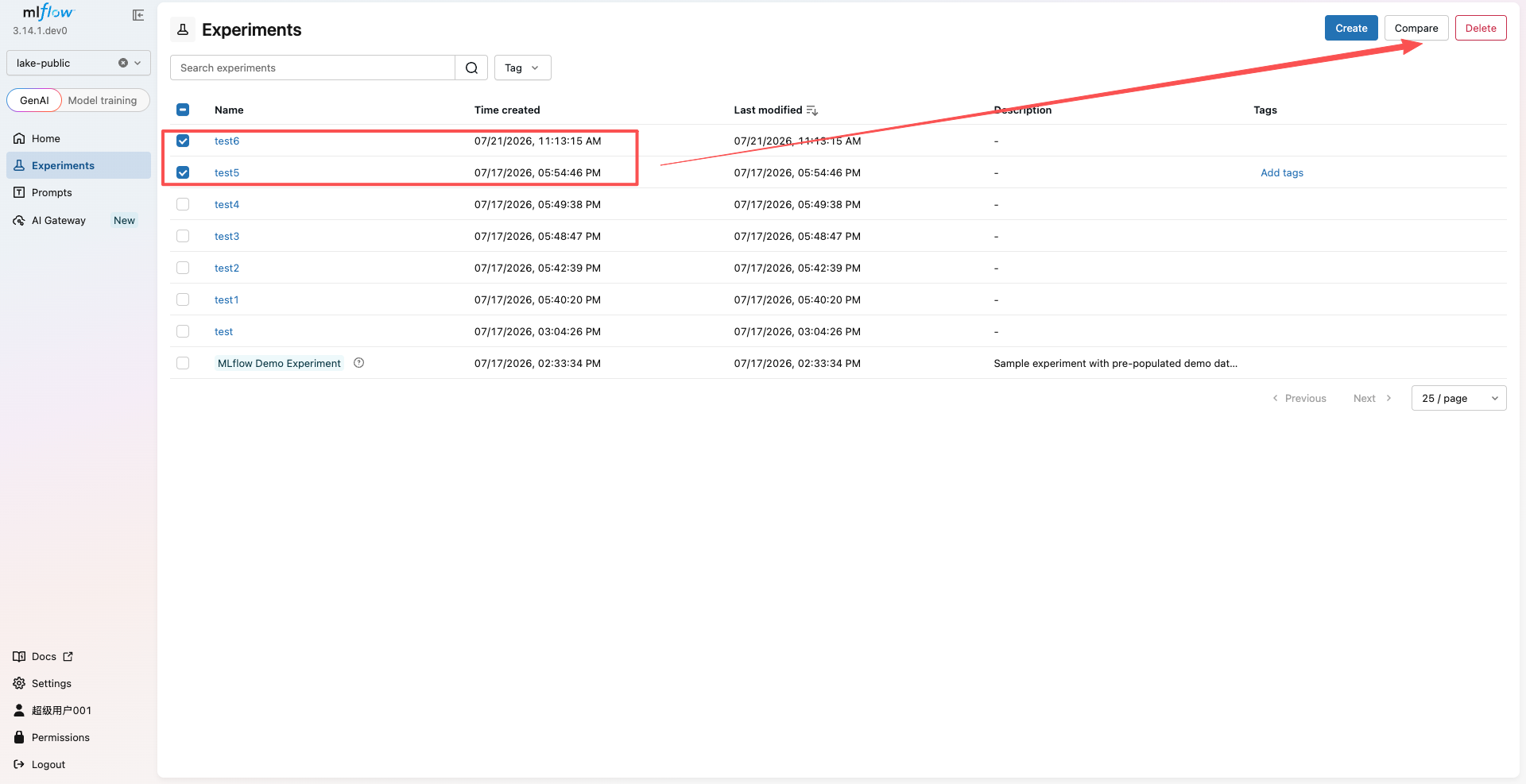
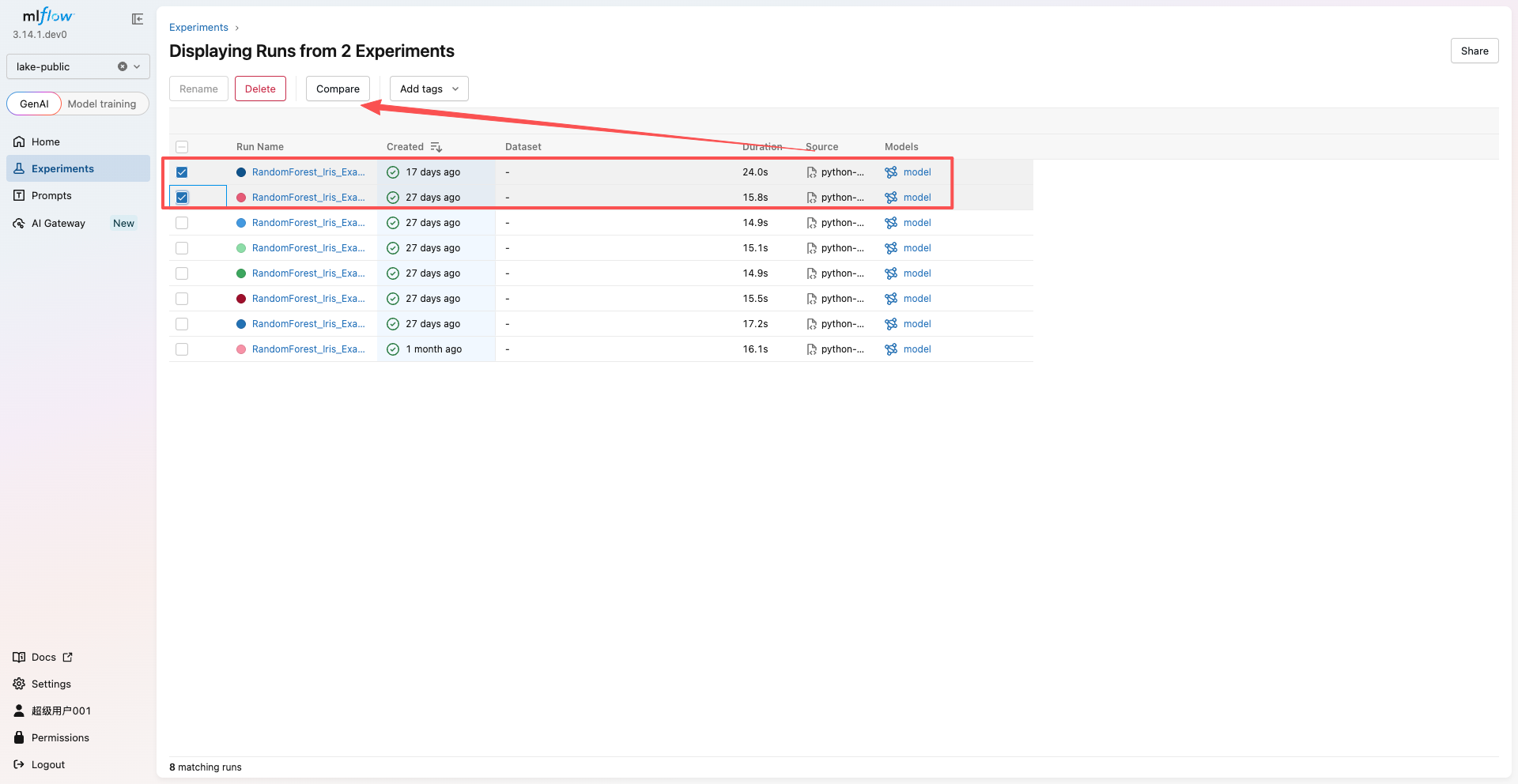
View Experiment Details
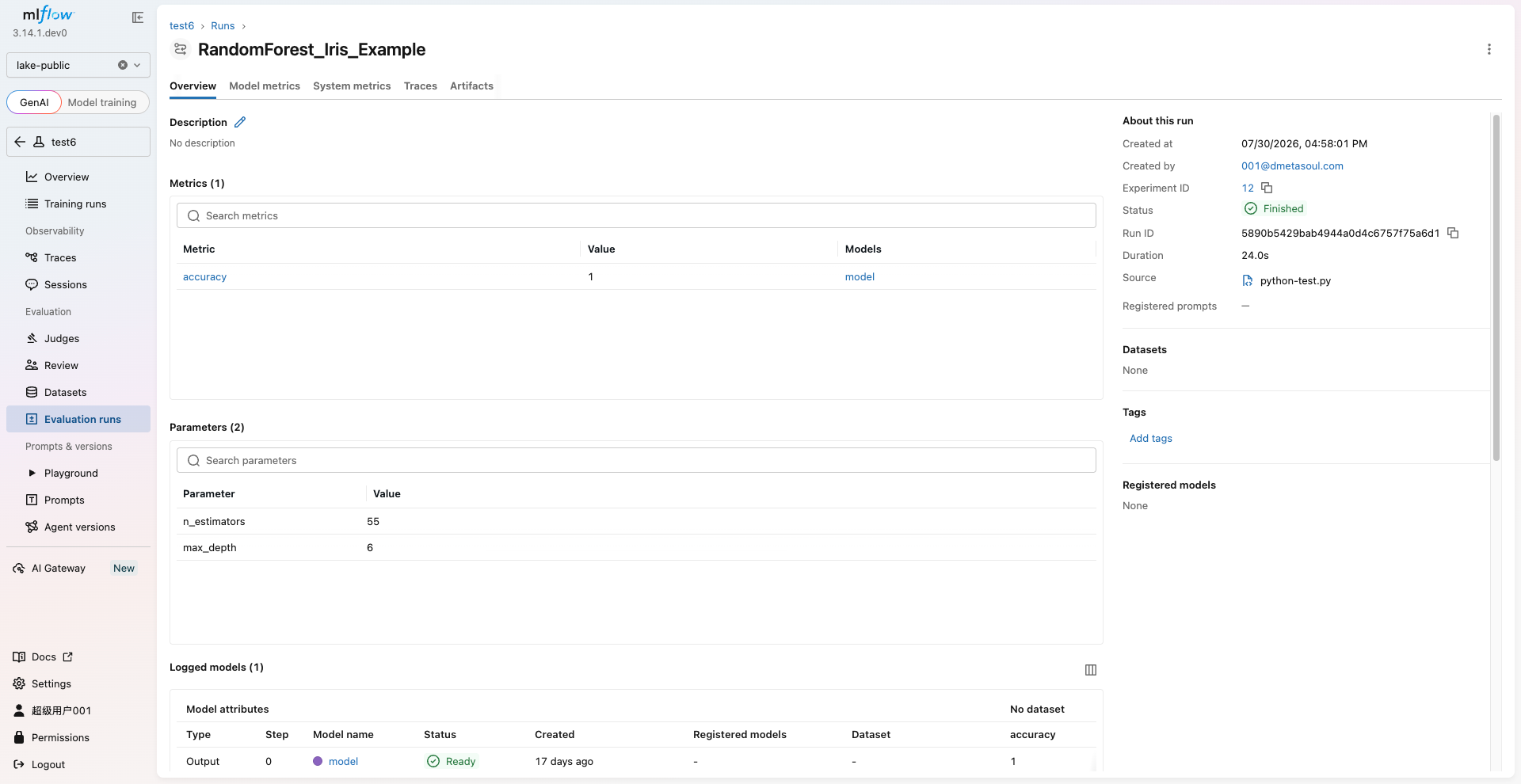
Click an experiment to enter its detail page, where you can view the experiment overview, the list of all training runs, and the parameters, metrics, and artifacts of each run.
Run Model Experiments in Notebooks
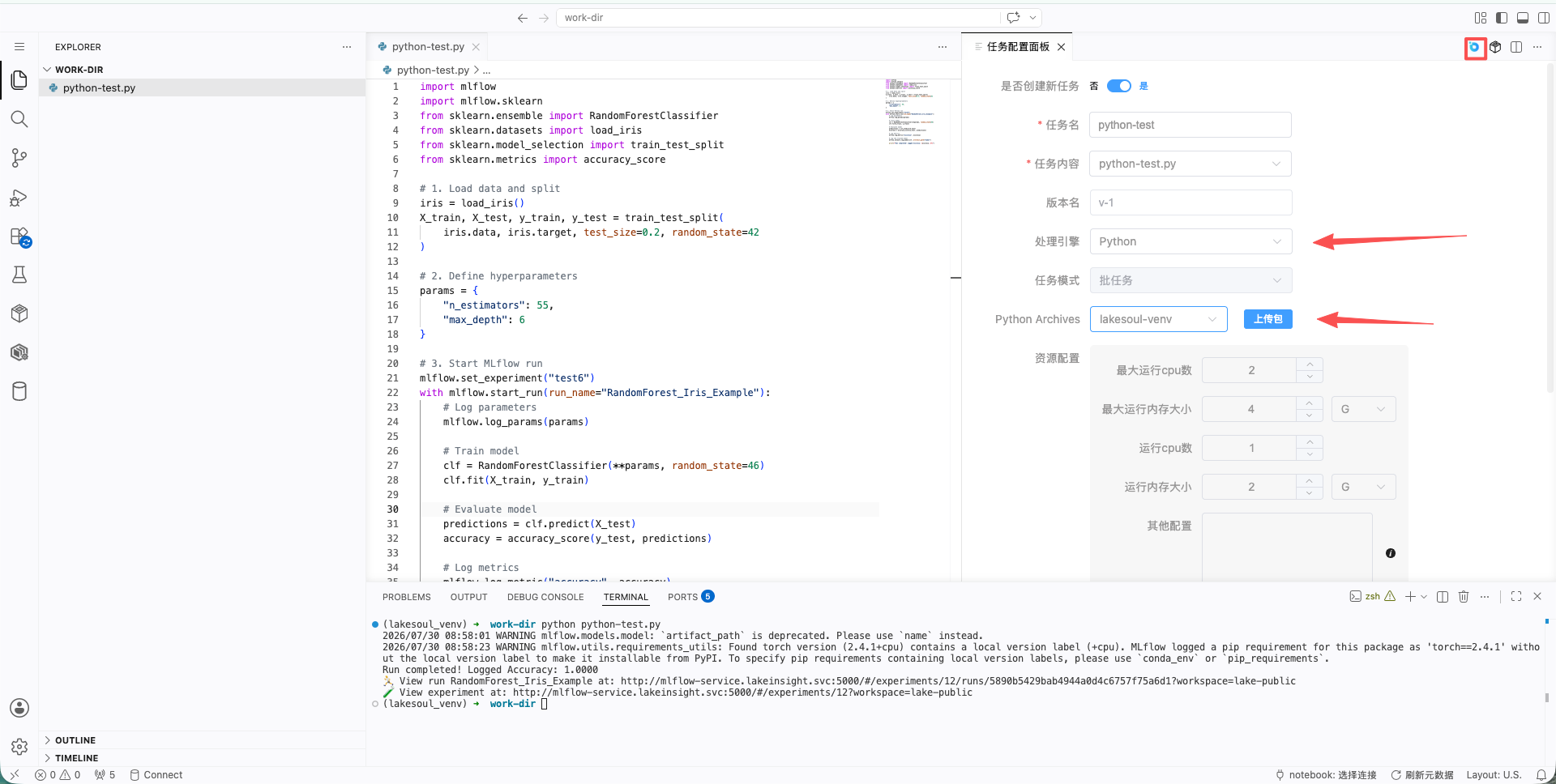
In addition to viewing experiments through the MLflow interface, you can write model training code directly in notebooks within Data Intelligence Development, with run records automatically synchronized to MLflow for tracking.
Enter the Development Environment
Go to Data Intelligence Development > Development Environment, select a running development task, and click the Go to Develop button to enter the IDE, where you can develop model experiments in notebooks. For detailed instructions, refer to Data Intelligence Development - Development Environment.
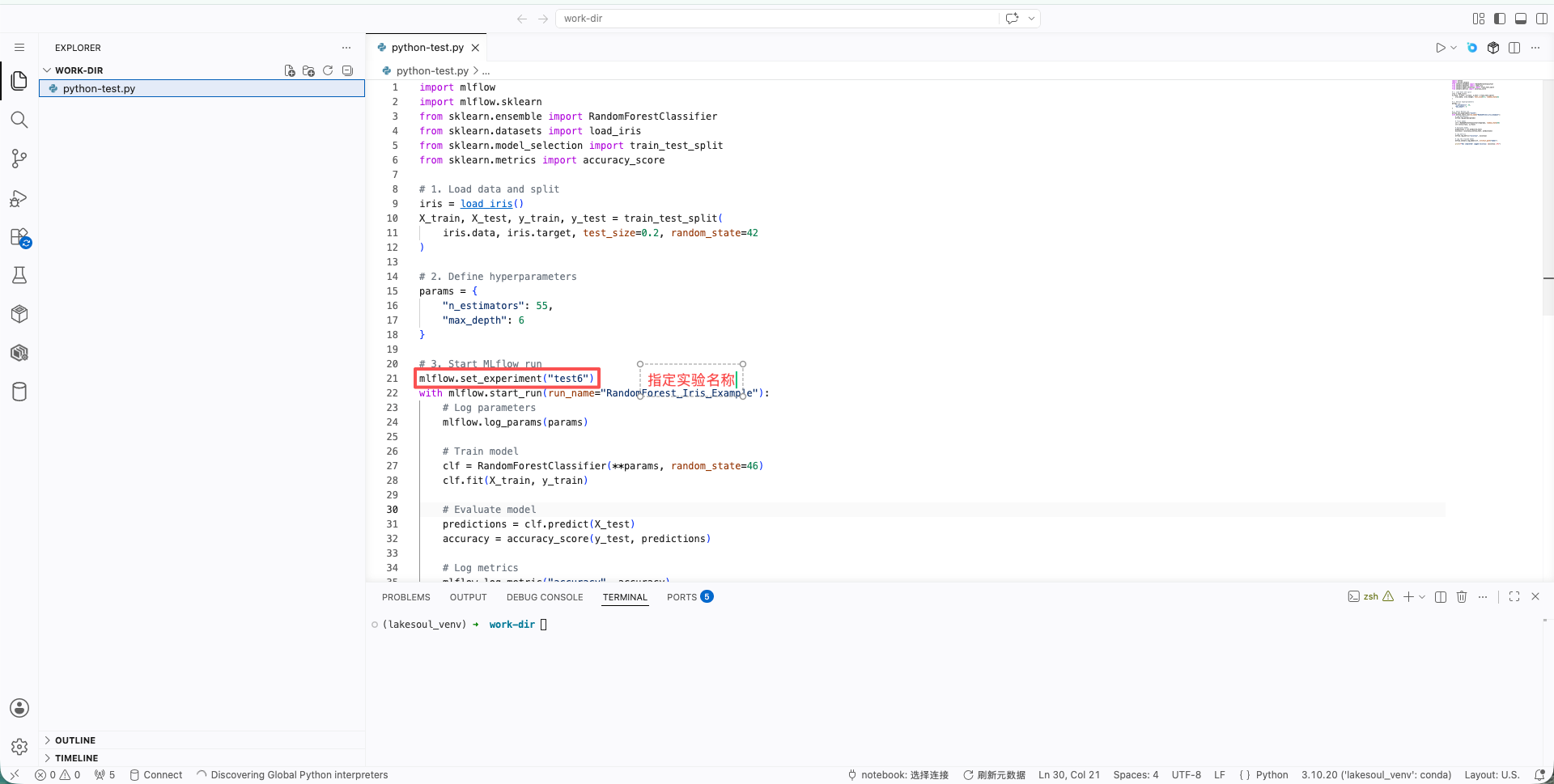
Write MLflow Model Experiment Code
Write model training code in the notebook using the MLflow tracking API to log parameters, metrics, and model artifacts during training.
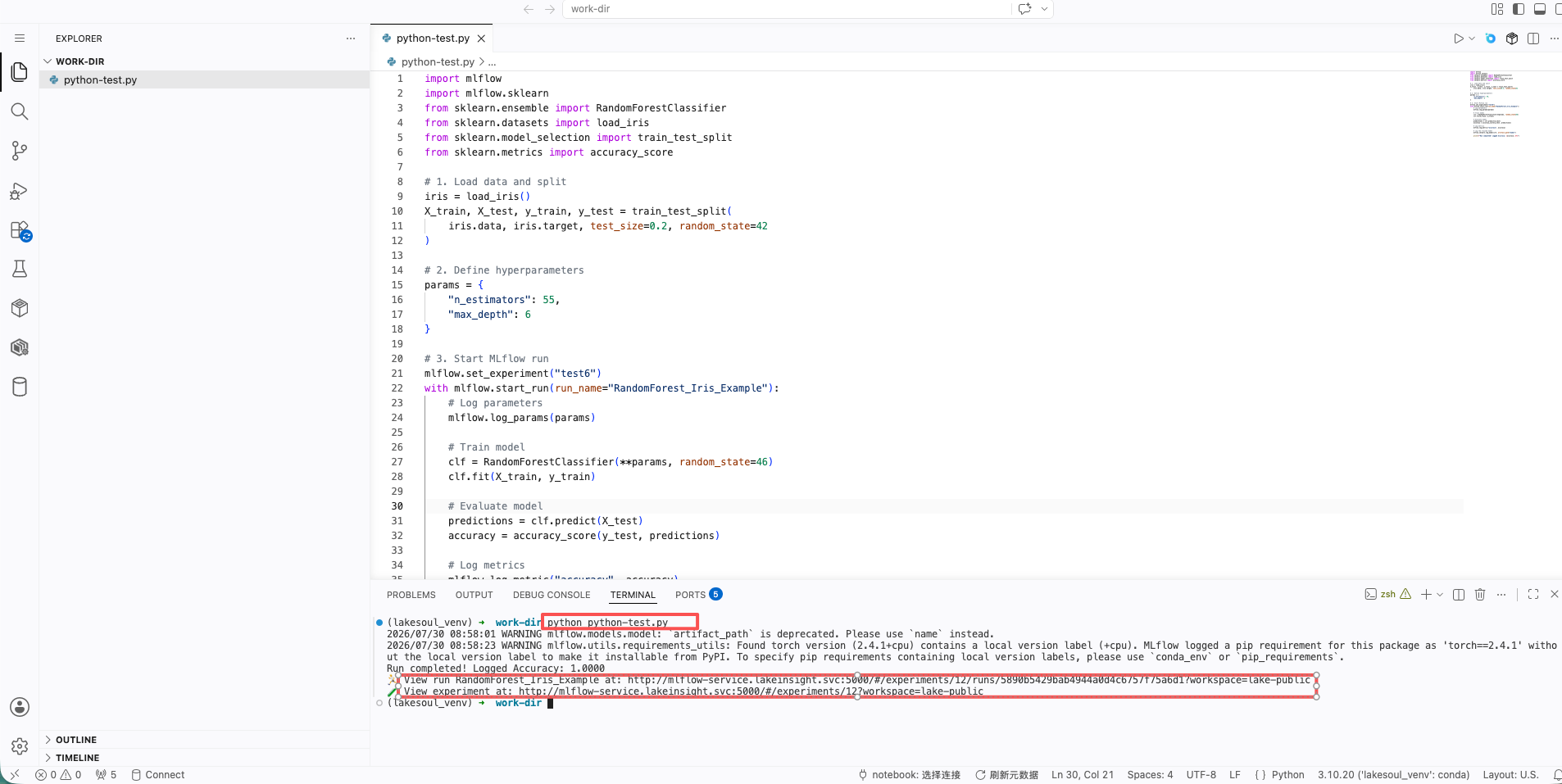
Run Tests from the Command Line
Execute the model training script in the IDE's built-in terminal to verify the code logic. After the run completes, MLflow automatically synchronizes the run record to the Model Experiments interface.
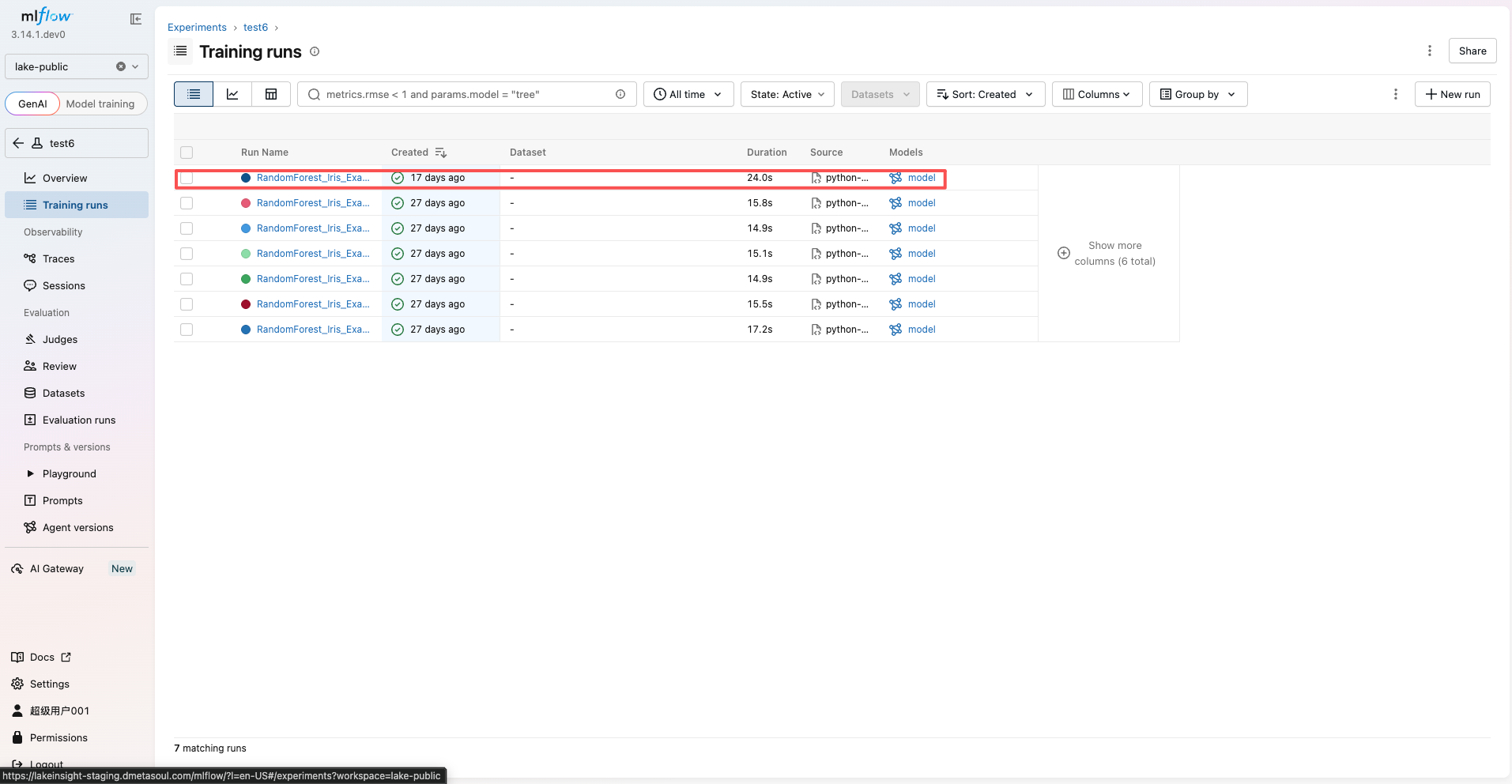
View Run Results in the MLflow Interface
Return to Intelligent Services > Model Experiments, enter the corresponding experiment to view the newly submitted training run, including detailed information such as parameters, metrics, and model artifacts.
Publish as a Production Task
Once testing is complete, the code can be published as a Python-type production task, submitted for approval, and configured with a scheduling policy to enable scheduled model training execution. For detailed instructions, refer to: