Referral Rewards
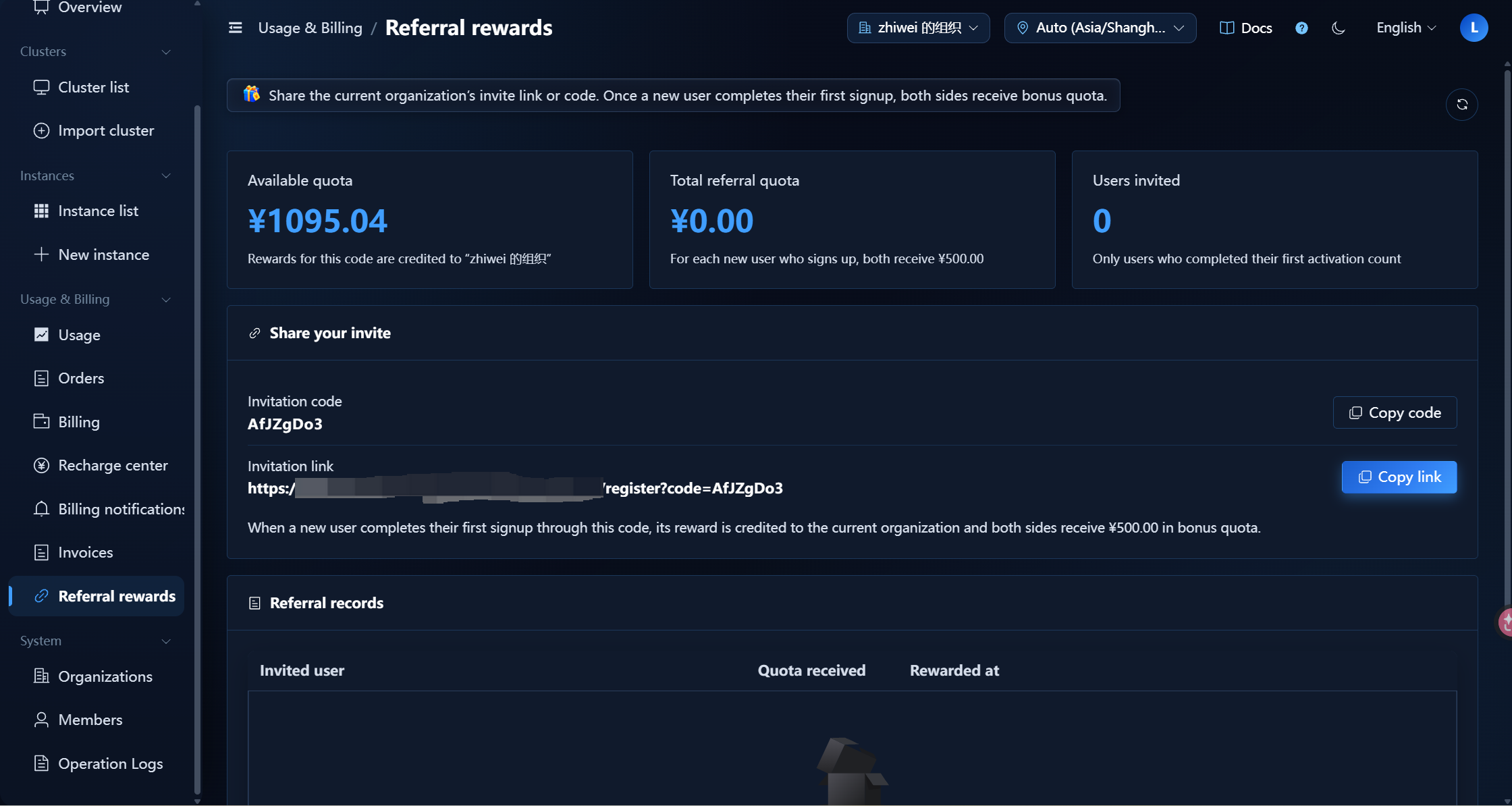
Go to Usage & Billing → Referral Rewards to share an invitation code with new users. When a new user completes their first signup with your code, both sides receive gift quota.
How It Works
- Each invitation code belongs to one user in one organization. Switching the current organization shows a different code; the inviter's reward from that code is credited to that organization, while the new user's reward goes to the organization created at registration.
- The first time a new user registers with a valid code, the inviter and the new user each receive gift quota (¥500 each by default, configured by the platform).
- Only new users completing their first signup count. Existing accounts, repeat sign-ins, and invalid codes (malformed, or the owning organization was deleted) do not generate a reward.
- A new user can be rewarded only once, and the code cannot be added or changed after registration.
- Any organization member can view and share their own code; the records only show invitations made with that code.
Sharing an Invitation
- Open Referral Rewards and copy the invitation code or invitation link.
- Send it to a new user.
- The user opens the link (the code is filled in automatically) or enters the code manually on the registration page, then completes signup.
- After the first signup is activated, the reward is credited and the invitation appears in the records.
The link has the form https://lakeinsight-cloud.dmetasoul.com/register?code=<8-character code>. The code is 8 letters or digits and is case-sensitive.
What the Page Shows
- Available quota: the organization's current available balance
- Total referral quota: cumulative referral rewards earned through this invitation code
- Users invited: number of invitations that were rewarded (the new user completed their first signup with this code)
- Invitation code / link: copy either one to share
- Referral records: invitee, quota received, and reward time; paginated, newest first
Gift quota is used for subsequent consumption before it expires and is not invoiceable. For the balance and billing rules, see Billing Center.
The registration invitation code is different from an organization member invitation. To invite someone to join your organization with a role, use System Management → Members; see Members.
Next Steps
To view the balance and fees, see Billing Center.
To request an invoice for cash consumption, see Invoices.